
Frost World MOD APK (Free Shopping)

Description
Frost World hands you a wrecked gas station, four core resources, and a winter that never lets up. New survivors who keep stalling at the first locked room will find the fuel and tool order that actually moves the base forward. The biggest early gain comes from tool damage rather than stockpiling wood, and that single choice sets the pace of your whole first week.
How to Play Frost World: Snow Survival Overview
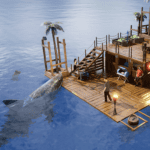
Frost World is a single player survival adventure where you rebuild a ruined gas station into a heated base while gathering wood, metal, fuel and rare supplies. You tap objects to break them down, repair rooms, then push into frozen Scavenger locations for scarce materials.
The frozen wasteland outside gives up nothing for free. Every plank, every scrap of metal, every drop of fuel comes from something you personally smashed apart. Estoty built the whole loop around that one gesture, then wrapped timers, story chapters and survivors around it.
This snow survival walkthrough treats the gas station as the anchor point it really is. Everything else, from Scavenger trips to the Supply Truck, exists to feed materials back into that one building. Roughly four resource types carry almost all early construction, which keeps the opening hours simple to read.
What the Frostbitten Gas Station Loop Really Is
The loop runs in four beats: break objects, carry materials home, spend them on a repair or a craft, then wait for the timer. Each finished repair opens another chunk of the station, which in turn holds more breakable objects. Because the station is finite, the game pushes you outward once you strip it clean.
Estoty keeps the controls light on purpose. You tap, you drag, you confirm. However, the decisions underneath are less casual than the tapping suggests, since fuel burns whether or not you are making progress.
The Endless Winter Story and Its Missing Survivors
You play one of the last people alive in a post-apocalyptic landscape buried under snow and ice. The premise starts small, with a cracked shelter and a fire you cannot let die. Later chapters point somewhere stranger, toward a secret area hidden beneath the gas station itself.
Story delivery stays quiet rather than cinematic. Notes, NPC dialogue and unlocked zones carry the plot forward. For example, rescuing a named survivor changes who stands in your base and what missions appear on the board.
How This Snow Survival Game Compares to Whiteout Survival and Last Stronghold
Frost Land – Snow Survival from UltraGames runs a similar frozen premise but hands you a flamethrower and a settlement of citizens to manage. Whiteout Survival by Century Games goes further into city building and alliances, with far heavier long-term systems. By contrast, this title stays personal and small in scale.
Last Stronghold: Idle Survival and Lost Prison – Shelter Survival from SayGames sit closer in feel, since both lean on idle collection and shelter repair. Nevertheless, neither builds its progression around a single tapped tool the way this one does. That narrower focus is the honest difference.
Android Version vs the PC Release
The Android build carries a 4.2 average from roughly 134,000 Google Play reviews across more than ten million downloads. A Windows version exists through Google Play Games on PC, plus a separate Steam listing under Estoty LLC. The core content matches, so the choice comes down to input and interruption.
Touch tapping feels natural on a phone and slightly clumsy with a mouse. On the other hand, the PC window lets you leave the game open while timers run, which suits the long waits. Mobile also carries the rewarded ad flow more heavily, and that difference matters more than resolution.
Gameplay Mechanics, Controls and Tool Damage Tiers
Every resource in the frozen wasteland comes out of a tapped object, and your tool damage number decides how many taps that object takes. Wood, metal, fuel and rare supplies all follow the same rule. Consequently, tool damage functions as the real speed setting for the entire game.
Controls stay to a single thumb. You tap a breakable, hold to keep swinging, and the survivor auto-carries loot back to storage. Nothing here demands reflexes, so the skill sits entirely in what you choose to break first.
Underneath the tapping, three meters run constantly: heat, fuel and supplies. Let the fire die and progress halts, since the survivor cannot work through the cold. That pressure keeps fuel management ahead of almost every other priority in the opening hours.
Tapping to Break Objects and the 3x Damage Multiplier
Base tool damage is deliberately low. Players across both stores report a rewarded ad offer that triples tool damage for a stretch of play, and the difference is not cosmetic. Without it, a crate that falls in a handful of swings instead eats a long, dull minute.
That multiplier also sells separately as a permanent Tool Damage Boost item. Estoty prices it at $9.99, which tells you how central the studio considers it. Therefore, treat your damage number as the stat to watch, not your storage total.
Reading the Heat, Fuel and Supply Meters
The HUD keeps heat, fuel and supplies visible at all times, and each one drains on its own clock. Fuel feeds the fire. Supplies cover food and the odds and ends the trader wants.
Running any meter to zero does not end your save, but it does stall everything useful. In practice, most stalled runs I have seen come from fuel neglect during a long Scavenger trip. Keep a fuel buffer before you leave the gas station base, every single time.
What Happens When a Repair or Craft Timer Ends
Finished timers deliver instantly and stack in the background. A completed repair usually reveals fresh breakable objects, so the station effectively refills itself as you fix it. Crafted items land in inventory ready to equip.
Timers open early at roughly one to five minutes, which makes the first sessions feel brisk. Later, the same actions climb into the hours, and some crafted items reach eight hours or more. Plan the queue around that curve instead of fighting it.
Traps, Blockers and Tool Tier Gates
Certain blockers refuse to break until your tool reaches the right tier. Electric wires, reinforced debris and later obstacles all sit behind these gates. Updates have added new tools specifically to blast through them.
Hitting a gate is not a bug, though it reads like one. Instead of grinding the same object, check your tool tier and the upgrade bench. Nine times out of ten the answer is a tier, not more wood.
How to Upgrade the Gas Station Shelter and Base Level
Upgrading the shelter means repairing broken rooms, rebuilding shelter walls, and raising your Base Level, which unlocks new construction options and better storage. Repairs cost wood and metal, while heavier work also pulls rare supplies. Each completed room widens the station and exposes more material to gather.
The Base Upgrade system arrived alongside Base Level progression in a recent story update. Together they turned a linear repair list into a tiered structure with clear thresholds. Insulation matters here too, since a better-sealed station burns less fuel per hour.
Defensive structures round out the picture. The world outside stopped being purely scenic once enemies and base defense arrived, and walls now serve two purposes at once.
Repairing Broken Rooms and Shelter Walls
Start with rooms that seal the building rather than rooms that look impressive. Holes in the roof and gaps in the shelter walls bleed heat, and heat costs fuel. A sealed room pays you back every hour it exists.
Storage repairs come next in my experience. More storage means fewer trips back from a Scavenger run, and fewer trips means less fuel burned in transit. That compounding effect shows up faster than most new players expect.
Base Level Progression and Base Upgrade Costs
Base Level rises as you complete repairs and upgrades, and each new level opens the next band of construction. Costs scale steeply, so a level that took wood and metal will later demand rare supplies too. Check the requirement list before you spend, because partial materials sit idle.
The system rewards depth over breadth. Rather than nudging five structures forward one step each, push one to completion. Finished upgrades change gameplay; half-finished ones change nothing at all.
Defensive Structures and Base Defense Nights
Defensive structures went in during the update that added tougher enemies, and they hold the line when threats reach the station. Barricades and placed defenses absorb damage that would otherwise hit you directly. The newest chapter added further defensive options on top.
Build defenses before you think you need them. Attacks arrive on story beats rather than random rolls, so the warning signs are readable. Similarly, keeping a repaired wall standing costs far less than rebuilding one after a bad night.
How to Unlock Scavenger Locations and Expedition Runs
Scavenger locations unlock through story progress and Base Level thresholds, then open as separate maps you travel to for materials the station cannot provide. Each location holds its own resource mix and its own threats. Expedition Mode layers pre-made high-risk routes on top for players who want tougher runs.
Two massive remote Scavenger locations arrived in an earlier major update, and later updates added next-level locations with fresh resource types. The frozen expeditions are where rare supplies actually come from.
Travel is not free. Fuel, gear and cold protection all factor in, and Cold Zones refuse entry without the right equipment. Vehicles change the economics of every trip you take.
How Scavenger Runs Work and What They Drop
A Scavenger run drops you into a snowbound map with breakable objects, containers and roaming threats. You gather until storage fills or danger forces a retreat, then head home. Drops skew toward whatever that location specializes in.
Destroying objects during Scavenger runs also feeds the Scavenger Pass track. As a result, a run you take purely for metal still moves a reward line forward. Clear the cheap objects on your way out rather than sprinting for the exit.
Expedition Mode and Pre-Made High-Risk Routes
Expedition Mode offers curated runs with higher stakes and richer payouts. Unlike free-roam Scavenger trips, these routes come pre-built, so you know roughly what you are walking into. Truck progression and expedition mechanics expanded together in the latest chapter.
Take expeditions only with a full fuel reserve and current gear. The payout is real, but so is the loss when a run ends badly. First trip on any new route, treat it as reconnaissance and bank what you can.
Cold Zones and the Special Gear They Need
Cold Zones are the harshest areas in the game, and they demand special gear crafted specifically for extreme temperature. Without that equipment the zone simply stays shut. Estoty added the gear line alongside the newest story chapter.
Craft the cold gear before you plan the trip, since the timers involved are not short. Additionally, check your tool tier at the same time. Arriving cold-protected but under-tooled wastes the whole expedition.
The Bike, Supply Truck and Snowmobile
A repairable bike was the first vehicle added, and fixing it opens faster travel between zones. The Supply Truck came later and helps gather resources, complete missions and prepare for tougher content. Truck progression now runs as its own upgrade line.
The Snowmobile ties into the Scavenger Pass, which awards handcrafted Snowmobile skins for run progress. Skins stay cosmetic, though the vehicle itself is not. Fix transport early, because every trip you shorten is fuel you keep.
How Frost World Progression, Gems and Rewards Work
Gems are the premium currency, sold in four packs running from $0.99 up to $19.99, and they mainly buy time by skipping craft and repair timers. A separate soft currency handles trading and crafting costs at the bench. Base Level, tool tiers and truck progression form the three long-running upgrade lines underneath.
Reward tracks sit on top of that spine. A Battle Pass with Daily Missions arrived first, followed by a Scavenger Pass tied to run progress, and both feed skins and resources back into normal play. Cloud save keeps the whole thing portable between devices, and Game Center achievements track milestones on iOS.
The Idle Loot system is the quiet standout. It keeps materials accumulating while the app is closed, which changes how often you need to open it.
Gems, Trader Currency and What Each One Buys
Gems skip timers and cover premium purchases. The trader currency, which you collect through normal play, pays for crafting and trading at the bench. Players regularly complain that trader prices run high relative to the income rate, and that tension is deliberate.
Spend Gems on the longest timer in your queue, never the shortest. Skipping a forty minute craft returns forty minutes; skipping a two minute one returns almost nothing. Because Gem packs cost real money, that ratio deserves attention.
Battle Pass, Daily Missions and Scavenger Pass Skins
The Battle Pass added Daily Missions granting extra resources, plus handcrafted skins for the main character including a free backpack, a tool and a costume. A VIP Battle Pass tier sells at $19.99 while the standard pass sits at $4.99. Daily Missions alone are worth checking each session.
The Scavenger Pass runs on a different axis. Destroying objects during Scavenger runs advances it toward unique Snowmobile skins. Neither track gates story content, so treat both as optional flavor rather than required progress.
The Idle Loot System and Offline Gains
Idle Loot generates materials while you are away, and Loot Request missions let survivors ask for specific items in exchange for rewards. Both landed in the most recent story chapter. Together they soften the long timers considerably.
Check Idle Loot first when you open the app, before anything else. Collecting early restarts accumulation sooner. In addition, clearing Loot Request missions promptly keeps the request board cycling into fresh offers.
How to Rescue Survivors and Unlock the Dog Companion
Rescuing survivors happens through story chapters, and each rescued person adds dialogue, missions and activity to the gas station base. Dean is the second survivor players pull out of the snow, and a location referred to as the Park opens around that point in the story. A dog companion arrived in a later update for both new and existing saves.
Survivors are not just set dressing. They generate Loot Request missions and anchor the next stage of the plot. Furthermore, the newest chapter added additional survivor and NPC interactions on top of the existing cast.
The story itself points downward, toward something buried under the station. That thread is what keeps the repair loop from feeling aimless.
Meeting Station NPCs and Rescuing Dean
Rescues trigger on story beats rather than random encounters, so the path is fixed. Dean arrives second, and the Park unlocks nearby as a new resource area. Some players have reported ad interruptions kicking them out of the Park, which is worth knowing before you plan a long session there.
New NPCs also arrived in the update that opened an area near the gas station. Talk to everyone after each chapter. Missions attach to dialogue, and skipping conversations means skipping rewards.
The Dog Companion and What It Adds
The dog companion joined in an update aimed at both new and existing players, and it travels with you through the frozen world. Having a second presence on screen changes the tone of expeditions more than it changes the math. The frozen wasteland feels less empty with it around.
Estoty pushed the companion to existing saves rather than locking it behind new games. If you played early and stopped, it is waiting for you. That kind of retroactive addition is uncommon and worth crediting.
Story Chapters and the Secret Area Beneath the Station
Story arrives in chapters, and each one unlocks new zones, allies, secrets and side stories. The current chapter opened a secret area under the gas station along with new cinematics and animations. Progress there requires both Base Level and gear thresholds.
Do not rush the chapter transitions. Each one raises the requirements of everything that follows, and arriving underprepared means grinding backward. Finish the available Scavenger locations first, then step forward.
Weapons, Sniper Mode and Frozen Wildlife Threats
Firearms entered the game in a major update, followed by Sniper Mode, tougher enemies and a purchasable M44 Custom rifle priced at $9.99. Threats include wolves, bears and hostile survivors who want your materials. Ammunition stays scarce, so shots carry real cost.
Traps and defensive structures cover the gap where guns cannot. Placed correctly, a trap handles an approach you would otherwise fight through. Crafted weapons like reinforced melee tools bridge the early stretch before firearms arrive.
Combat never becomes the main event. Nevertheless, ignoring it entirely will cost you a Scavenger run eventually, and lost cargo hurts more than lost health.
Firearms, the M44 Custom and Ammo Scarcity
Guns changed the threat balance when they arrived, and Sniper Mode added ranged control over approaching enemies. The M44 Custom sells as a separate $9.99 item rather than a crafted unlock. Standard firearms remain available through normal progression.
Ammo is the real constraint. Count rounds before an expedition and plan a melee fallback. For example, saving firearm ammo for hostile survivors while handling wolves with traps stretches your supply considerably.
Traps Against Wolves and Hostile Survivors
Traps built from wire and sharp scrap stop threats before they close distance. Positioned near a chokepoint, they do work you would otherwise spend ammo on. Fire pits and base defenses cover the station itself.
Wolves come fast and in numbers, while hostile survivors think about it first. Read the approach and respond differently. Rushing a group of wildlife with a melee tool is how most avoidable losses happen.
When Walking Away Beats Fighting
Not every encounter is worth resolving. If your storage is full and the exit is close, leaving with cargo beats dying with it. The frozen wasteland does not reward stubbornness.
Retreat also protects your fuel. A fight you skip is fuel you still hold for the trip home. In my runs, the trips that ended badly were almost always the ones where I stayed thirty seconds too long.
Common Mistakes That Stall Frozen Base Progress
Most stalled saves trace back to three specific errors, and none of them involve poor resource gathering. New survivors ignore the tool damage multiplier, misread the mid-game timer shift, and buy the wrong in-app purchase for the problem they actually have. Each mistake is easy to fix once named.
These issues rarely appear in coverage of the game, which tends to stop at lists of what to collect. The economy underneath matters far more than the list of materials. Understanding it changes the pace of your whole save.
Ten separate purchase items appear on the store listing, and only some of them touch the thing players complain about most.
The Ad Multiplier Trap New Survivors Miss
Here is the claim competing articles do not make: resource scarcity is not what slows your early game, the tool damage multiplier is. Base damage is set low enough that gathering without the 3x boost takes roughly triple the taps. Players report the ad offer surfacing every two to three minutes, which is the studio pricing your time in attention.
Once you see the pattern, plan around it. Take the multiplier before a heavy gathering push, not before a walk across the map. Wasting a boosted window on travel is the single most common early error I have seen.
The Mid-Game Timer Wall and How to Play Around It
Timers do not scale smoothly, they step. Early crafts land between one and five minutes, then the same category jumps to the one to five hour band, with outliers past eight hours. That shift usually arrives somewhere around the two to three hour mark of total play.
Change your habits at that point rather than fighting the clock. Long unbroken sessions stop paying, while two short check-ins per day suddenly pay very well. Queue before you close, collect when you return.
Which In-App Purchase Actually Changes Progress
Remove Ads at $8.99 and Tool Damage Boost at $9.99 are separate items solving separate problems, and buying one does not deliver the other. Removing ads stops interruptions but leaves your base tool damage exactly where it was. Multiple reviewers have hit this wall and reacted badly, and their frustration is understandable.
Decide which annoyance you are actually paying to remove. If interruptions are the issue, Remove Ads is correct. However, if gathering feels slow, the damage item is the one that changes gameplay.
Best Frost World Tips and Tricks for Beginners
Fuel is the resource that gates everything else in the gas station base, and running it dry stops repairs, crafting and expeditions at once. Wood and metal replace themselves as you open new rooms. Fuel does not, so it deserves separate treatment from the moment you start.
The tips below draw on the systems this game actually runs on: the fire, the craft queue, and the finite object count in each zone. None of them transfer cleanly to another survival title. That specificity is the point.
Small habits compound heavily here because the timers are long and the resource pool is narrow.
Bank Fuel Before You Chase Rare Supplies
Keep a fuel reserve that covers a full expedition plus the fire at home. Rare supplies are exciting, and they will still be there in an hour. A cold station burns your progress in a way a delayed craft never does.
Check the fuel meter before every departure as a fixed habit. Similarly, spend surplus wood on insulation upgrades, since better sealing lowers fuel draw permanently. That trade quietly funds every trip you take afterward.
Queue the Longest Craft Before You Close the App
Never close the app with an empty craft queue. Start the eight hour item before bed and the short ones during active play. Reversing that order costs you an entire night of progress.
Collect Idle Loot the moment you open the app, then immediately queue the next long timer. Because accumulation restarts on collection, delaying it wastes real hours. Two disciplined check-ins beat one long session every single day.
Strip the Station Clean Before Opening a New Zone
Each area holds a finite number of breakable objects, and leaving some behind means walking back for them later. Clear every crate, wall and fixture before you unlock the next zone. The walk-back costs fuel you already spent once.
Repairs also reveal fresh objects inside rooms you have already visited. Sweep a room again after every repair completes. Most players I have watched skip this and then wonder where the metal went.
Frequently Asked Questions About Frost World
Is Frost World free on Android?
Yes. Frost World installs free from Google Play and needs Android 8.0 or higher, with the iOS build requiring iOS 15.0 and a 1.3 GB download. Ten separate in-app purchase items exist, ranging from a $0.99 Gem Pack up to $19.99 tiers, and none are required to progress.
How long are the crafting timers?
Timers start between one and five minutes, then climb into hours as the story advances, with the longest crafted items reaching eight hours or more. Practically, two check-ins per day handle the queue well: start a long craft in the morning, collect and requeue at night. Cloud save carries that queue across devices.
Does the game have a proper ending?
Not a fixed one yet. Estoty has kept releasing new story chapters since launch, each adding zones, survivors and systems, so the current end point is the newest chapter rather than a credits roll. Anyone who finished earlier content will find fresh material waiting rather than a completed save.
Who Frost World Suits Best
This one belongs to players who enjoy slow, tidy progress and do not mind a timer. The tapping is simple, the station rebuild is satisfying, and the frozen wasteland has genuine atmosphere behind it. Anyone who wants fast action or dislikes rewarded ads should look elsewhere, because the ad economy sits close to the center of the design. I played it in short bursts across two weeks and found the twice-daily rhythm oddly relaxing, though the gap between base tool damage and the boosted rate still annoys me. For patient survival fans on Android, it earns its ten million downloads.
Images


Download links
ℹ️ Download link not working? Please refresh the page and try again.
Developer's apps





Related apps




What's new
Bug fixes.
New Apps
Most Played Mobile Games


