
Suicide Squad MOD APK (Unlimited Bullets)

Description
Suicide Squad: Special Ops hands you three jailed villains, Harley Quinn, Deadshot and Diablo, and asks them to outlast an endless horde in Midway City. New squad leaders who keep wiping out in the first few waves will get a survival order here that actually holds up. Your three villains work like three lives, so rotating a healthy fighter in early matters more than any single upgrade.
How to Play Suicide Squad: Special Ops in Midway City
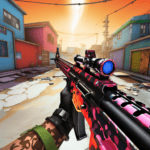
Suicide Squad: Special Ops is a free first-person shooter where you steer Harley Quinn, Deadshot or Diablo through Midway City while the game fires for you. You move with one thumb, aim with the other, and survive each wave of enemies to reach the next area.
Warner Bros. International Enterprises released it in July 2016, a few weeks before the film hit theaters. The Google Play listing later passed 10,000,000 downloads. Critics also liked it more than most movie tie-ins, and it holds an 83 on Metacritic from five reviews.
Every one of these Suicide Squad: Special Ops tips starts from one simple fact. The run ends only when all three villains fall.
How Auto-Fire Aiming Works in This Wave Shooter
Auto-fire is the core mechanic, and it changes how the whole game feels. You never press a trigger. Instead, your weapon shoots the moment the crosshair rests on an enemy.
That design frees your right thumb for fine aim, but sloppy aim still wastes ammo. In my runs, the biggest gains came from sweeping the reticle across a pack rather than chasing single targets. Some players dislike the system, and one Play Store reviewer argued it takes away the point of a shooter. On a phone screen, though, it keeps the pace fast and easy to read.
Midway City and the Faceless Horde
The story loosely follows the 2016 film. You lead a special task force of jailed supervillains through a ruined Midway City. The faceless horde, a swarm of humanoid creatures, pours in from every street.
A bright, cartoon-like filter sits over the dark streets, so enemies stand out clearly. There is no long campaign, however. The plot works as a frame for the survival loop rather than a story you follow scene by scene.
How It Compares to Dead Trigger 2 and Call of Duty: Mobile
Dead Trigger 2 is the closest mobile rival, since both games throw waves of hostile bodies at you in first person. However, Dead Trigger 2 adds missions, weapon crafting and an in-game economy. Special Ops strips all of that away for pure survival.
Call of Duty: Mobile sits at the other end, with ranked multiplayer and a seasonal battle pass. One player review described Special Ops as a zombies-style Call of Duty round set in the movie, and that fits well. Also, do not confuse this game with Suicide Squad: Kill the Justice League. That 2024 Rocksteady release is a third-person co-op game on PC and consoles, so it never came to Android.
Touch Controls, Squad Swaps and Wave Clears in Special Ops
Two thumbs run every fight in Special Ops. The left side of the screen moves your villain, and the right side aims.
Because firing is automatic, these touch controls carry the whole skill ceiling of this mobile shooter. Good movement keeps you alive, and good aim decides how fast a wave thins out. A later update also added an aim assist toggle, which changes how much the game helps your right thumb.
Between waves, the game pauses long enough for you to pick which squad member steps in next. That one choice shapes how long a run lasts. Clearing enough waves then pushes the squad into a fresh part of the city, where the enemy mix gets meaner.
Dual-Thumb Movement and the Aim Assist Toggle
Movement feels smooth, and that smoothness is the main reason the game works on a small screen. Strafe in wide arcs rather than backing straight up, since enemies flank from side streets.
A later update added an option to turn off aim assist. With it on, the reticle nudges toward targets, which suits casual play. With it off, you get full control and can hold a stream of fire on one cluster. I keep it on for Harley and off for Diablo.
Swapping Harley, Deadshot and Diablo Between Waves
Each new wave opens with a choice of Harley Quinn, Deadshot or Diablo. You can rotate freely as long as all three are alive. Once a villain falls, that slot stays empty for the rest of the run.
This turns your squad into three separate health bars. For example, a wounded Deadshot can sit out a wave while a fresh Harley takes the heat. Players who stick with one favorite usually lose that villain early and then scramble with two.
What Happens When the Squad Clears an Area
Surviving a set of waves moves the squad to the next part of the city. The new area brings new sightlines and new pickup spots. It also brings a tougher enemy mix.
The difficulty ramps up quickly. After a couple of areas, faster runners and bombers start arriving together, and calm waves become rare. Clearing an area is the real milestone, because each one pushes your score higher.
How to Unlock Each Squad Member’s Special Ability
Each squad member unlocks a special ability by filling a meter during combat, then triggering it once the meter is full. Harley Quinn, Deadshot and Diablo each carry their own weapons, so the meter rewards steady fighting rather than any purchase or level gate.
No store sells abilities, and no timer locks them away. That makes the special ability meter the most valuable resource in any fight, worth more than a single upgrade. Firing it at the right moment is the real survival skill in this wave shooter.
Each villain also plays very differently with automatic firing. Diablo feels the most forgiving, Deadshot the steadiest, and Harley the most demanding. Picking the right villain for the right wave is half the battle.
Harley Quinn’s Baseball Bat and Magnum Revolver
Harley Quinn swings a baseball bat up close and switches to a magnum revolver at range. The bat suits the moment a runner reaches you. Meanwhile, the magnum punishes slow enemies at middle distance.
Her kit asks for the most footwork of the three. In my runs, the magnum emptied faster than any other loadout. Use her when the street is open and you have room to back off.
Deadshot’s Rifle and Wrist-Mounted Guns
Deadshot carries an assault rifle backed by his wrist-mounted guns. He is the steadiest damage dealer, and his range lets you thin a crowd before it arrives.
He rewards calm, slow sweeps across a group. He also works best in long streets with clear sightlines. I treat him as the anchor of the squad, so I protect his health more than anyone else’s.
Diablo’s Pyrokinesis and Wall of Fire
Diablo uses pyrokinesis to throw flames, and many players find him the easiest villain to run. His special ability sends a moving wall of fire down the street once the meter fills.
The wall shines when a dense pack funnels toward you through a single lane. Hold it until the enemies bunch up, then release it to clear the whole group. Firing it at two or three scattered targets, by contrast, wastes the meter. Patience pays more here than with any other villain.
How to Get Health Packs, Ammo and Upgrades in Midway City
You get health packs, ammo and upgrades by moving through Midway City during and between waves, since the game scatters them across each area. Upgrades also arrive as a choice roughly every two waves, so you gather supplies on foot and build power through picks.
Most Suicide Squad: Special Ops tips about supplies come down to one habit. Grab what you need, not everything you see, because every trip away from cover is a risk.
There is no coin, gem or energy currency at all. Reviewers at launch also confirmed there is no in-game store or timer. Every resource lives inside the run, so a squad wipe resets the whole stockpile.
Where Health Packs and Ammo Spawns Appear
Medkits and ammo sit at set points around each area, often near corners and side alleys. A recent update rebalanced how health and ammo spawn across the map. As a result, refills feel more even from one area to the next.
Note the pickup spots during a quiet wave. Then, when a heavy wave hits, you already know the shortest path to a refill. Running blind into a side street for ammo ended most of my early runs.
Picking Upgrades Between Waves
Roughly every two waves, the game offers an upgrade pick. Players praise how simple it is, since you choose one boost and keep fighting.
Stack your upgrades on the villain you rotate most. Spreading picks thin across all three leaves each one underpowered when the faceless horde thickens. In addition, a focused build makes your best villain a safe fallback in the late waves.
Why Upgrades Vanish After a Squad Wipe
When your last villain falls, the run ends and every upgrade disappears with it. Several players flagged this in reviews, and it remains the sharpest frustration in the game. There is no cloud save to carry your power forward.
However, a later update lets you continue a run after the app is force-closed. That change protects you from crashes and incoming calls. It cannot protect you from a bad wave, so losing all three still means starting over from the first area.
How Leaderboards and High Scores Work in Special Ops
Leaderboards in Special Ops rank your high score against other players on daily, weekly and all-time boards. Your score grows with each wave you survive, and since nothing carries over between runs, a leaderboard spot is the only lasting record of your squad’s best effort.
That makes the leaderboard the true progression system in this first-person shooter. No ranks, levels or unlock trees exist outside a run. Instead, the milestone you chase is a better number than last time.
The daily leaderboard also gives casual players a fresh shot every day. Built-in HD recording, meanwhile, lets you prove a big run happened. Both features date back to the 2016 launch.
Daily, Weekly and All-Time Leaderboards
The three boards reset on different clocks. The daily board refreshes every day, the weekly one every week, and the all-time board never resets.
New players should aim at the daily board first. A solid run there can land a visible spot, while the all-time board reflects years of practice. Next, once your daily scores hold steady, push for the weekly board.
Recording HD Clips of Your Best Runs
The game includes built-in HD recording, so you can capture footage while you play and share it on social media. That feature still sets it apart from many movie tie-ins of its era.
Start recording at the first wave, not later. You rarely know in advance which run will go well. Clips also show your mistakes clearly, such as how often you drift toward a wall during a rush.
What Climbing the Rankings Actually Earns
Climbing the rankings earns bragging rights and nothing else. No skins, characters or currency sit behind a high score.
That sounds thin, but it keeps the competition fair. Since no one can buy power, every name on the board earned its place with the same three villains and the same pickups. A top score here therefore says more about skill than in most free mobile shooters.
Common Special Ops Mistakes That End Runs Early
The bomber is a named enemy type in Special Ops, and a later update tweaked how it behaves. It still causes more sudden squad losses than any other threat in my runs.
Most early deaths, however, come from player habits rather than enemy strength. Standing still, leaning on one villain, and retreating into tight streets all shorten a run. None of these show up as obvious errors in the moment.
Fixing them costs nothing, since this wave shooter has no store or energy system to lean on. Your only tools are movement, rotation and timing. Each fix is free, and each one adds waves to your best run.
Letting the Bomber Enemy Close the Gap
Bombers force you to deal with them first, before the slower faceless horde. If one reaches you, a healthy villain can drop to a fraction of their health in seconds.
Keep a gap and shift your aim to bombers the moment they appear. With Deadshot, his range makes this easy. With Harley, back off first and then use the magnum.
Riding One Villain Until a Squad Wipe Starts
Many players pick a favorite and keep sending them out until they drop. That habit throws away the swap system’s biggest benefit.
A villain at half health should usually sit out the next wave. Rotating early keeps all three alive for longer, so the late areas still have a full squad. Losing one villain early, by contrast, starts a chain that often ends in a squad wipe.
Backing Into Side Streets With No Exit
Retreating feels safe, but side streets in Midway City often end in walls. Once the horde blocks the entrance, there is nowhere left to strafe.
Always retreat along a main road or toward an open plaza. Before a wave starts, look for a loop you can circle. A loop lets auto-fire keep working while you stay out of reach, and it buys time for the special ability meter to fill. That single habit added more waves to my runs than any upgrade did.
Best Suicide Squad: Special Ops Tips and Tricks for Beginners
Three habits separate long runs from short ones in Special Ops: smart aim, focused upgrades, and full ammo before hard waves. Each one ties to a system unique to this game.
The first habit pairs Deadshot’s range with slow reticle sweeps. The second shapes your upgrade picks, and the third keeps Harley’s revolver loaded when it matters most. None of them need fast reflexes.
New players often expect a shooter to reward twitch skill above everything else. Here, though, planning wins more waves than reflexes do. Small choices made between waves decide whether your score climbs or stalls.
Sweep Auto-Fire Across Packs With Deadshot
Deadshot’s rifle fires the instant your reticle crosses an enemy. So, drag the reticle slowly across a whole pack instead of locking onto one target.
This trick spreads damage across the group and softens everyone at once. Then, when the pack bunches up, the steady fire finishes them quickly. It also wastes far fewer rounds than flicking from target to target.
Take Damage Upgrades Before Survival Upgrades
Early waves end faster when your villain hits harder. Faster wave clears mean fewer hits taken, so damage upgrades protect you indirectly.
Once enemies start arriving in larger groups, switch to survival boosts. This order front-loads your power when waves are short. It then shores up your health when the enemy crowd gets thick enough to swarm you.
Refill Ammo Before Sending Harley Into a Heavy Wave
Harley’s magnum is her lifeline at range, and an empty cylinder leaves only the bat. That is the most common way I have seen her go down.
Check her ammo before you select her for a wave. If it is low, send Diablo or Deadshot instead, and route Harley past ammo spawns on her next turn. Also, never start a bomber-heavy wave with Harley on low ammo.
Frequently Asked Questions About Suicide Squad: Special Ops
Is Suicide Squad: Special Ops still available on Android?
Suicide Squad: Special Ops launched on both Android and iOS, but store availability has thinned since then. Some players report it no longer appears on the App Store. The listing carried a 12+ age rating and required an internet connection, so check the Play Store in your region and plan to play online.
How many waves are there in Suicide Squad: Special Ops?
There is no final wave. The survival loop keeps going until your last villain falls, and the enemy count simply climbs. In my experience, a casual run lasts around 10 to 20 minutes before the difficulty overtakes the squad, while skilled players push much longer when chasing the weekly board.
Will Suicide Squad: Special Ops get new characters?
The roster has stayed at three villains since launch. Players have long asked for more characters and a mission structure. One fan even suggested rescuing a new villain every 10 waves. Recent updates focused on fixes such as the aim assist toggle and spawn balance, so new characters look unlikely.
Who Should Play Suicide Squad: Special Ops Right Now
Suicide Squad: Special Ops suits mobile players who want short, intense survival sessions without stores, timers or energy bars. DC fans who enjoyed Harley Quinn, Deadshot and Diablo on screen will also get the most from it. After many runs, I still think it is one of the fairest movie tie-ins on Android, because every point on the board comes from skill alone.
Play it for quick sessions, rotate your villains early, and chase the daily board first. Treat it as a score attack, not a campaign, and it rewards you every time.
Download links
ℹ️ Download link not working? Please refresh the page and try again.




New Apps
Most Played Mobile Games


