
Skill Test: Online MOD APK (Unlimited Money)

Description
Skill Test Online stands out among Android racing simulators because it lets players build their own tracks with the map constructor and challenge real opponents on those same custom roads. This post is written for beginners and returning players who want to sharpen their lap times, spend in-game currency wisely, and get more from every session. Below, this post covers car controls, the tuning system, the map constructor, camera modes, and the best tactics for both offline and online play.
What Is Skill Test Online and How Does It Play
Skill Test Online is a 3D car driving simulator developed by MISHIKinc for Android and iOS. The game focuses on realistic car physics and gives players two clear paths: grinding offline levels to earn currency, or jumping into online races against players from around the world. Because both modes share the same physics system, every hour spent in offline practice directly sharpens your performance online.
The game hosts a large number of levels sorted by difficulty. Easy stages ease new players into the controls. However, later levels demand precise braking, steady throttle management, and an understanding of how different car types respond to corners. The challenge scales steadily, so players who rush through early stages without building solid habits will struggle when the difficulty increases.
How the realistic car physics system works in every race
The car physics engine in Skill Test Online simulates real-world driving behaviour for each vehicle class. Sedans, crossovers, and all-terrain jeeps each handle differently. Sedans turn sharply but lose grip fast. Crossovers hold corners steadier. Jeeps feel heavy but stable on uneven surfaces. Consequently, choosing the right car for the track type matters more than raw top speed.
The physics system also responds to driver input in real time. Aggressive steering at high speed causes oversteer. Braking too late before a corner pushes the car into the boundary. Because the game penalises touching the red boundary line with a forced restart, understanding how your chosen car behaves under pressure is the most important early skill to develop.
The offline and online modes and what separates them
Offline mode lets players complete levels without an internet connection. Each completed level pays out in-game currency. This makes offline play the main income source for players who want to upgrade their cars steadily. However, offline levels use fixed track layouts against AI or timed targets. They do not prepare players for the unpredictable layouts that other players create in the map constructor.
Online mode connects players to a global pool of racers. Players either accept race invitations on an opponent’s custom map or host their own race on a track they have built. This distinction matters. Racing on someone else’s map requires fast visual reading of an unfamiliar layout. Hosting on your own map gives you a clear advantage — you have already memorised every corner and hazard.
How Skill Test Online compares to similar mobile racing simulators
Drive Zone Online offers a large open-world map with 50-plus vehicles and supports up to 32 simultaneous players. By contrast, Skill Test Online focuses on structured level progression and the creative map constructor rather than open-world exploration. Extreme Car Driving Simulator, another strong Android sim, centres on single-player free-roam physics practice. Skill Test Online combines elements of both by pairing structured offline levels with player-created competitive tracks. For players who want a social, creative racing loop rather than a pure open-world or a solo sandbox, Skill Test Online occupies a distinct position in the Android simulator market.
How Skill Test Online Controls and Physics Feel on Mobile
The control system in this simulator offers touch-based steering alongside optional steering wheel control mode. Both options work, but they produce a noticeably different driving feel. Touch controls are quick to respond but require deliberate inputs. Steering wheel mode adds a physical rotation range that more closely mirrors real driving. Players who switch to steering wheel mode often report better consistency on tight corners.
Every input — throttle, brake, steer — feeds directly into the physics model. The game does not add arcade-style speed boosts or unrealistic grip assists. Therefore, the way a player handles the car determines everything. Smooth, measured inputs produce faster lap times than aggressive, erratic ones.
Steering, throttle, and braking — what each input does
Steering controls the direction of the front wheels. On touch controls, holding the left or right button turns the wheels to their maximum angle almost immediately. However, releasing and re-pressing in short taps gives more nuanced steering, especially through S-bends. Throttle accelerates the car forward. Releasing the throttle before a corner reduces entry speed naturally and prepares the car for a cleaner turn without triggering a full brake event.
Braking is the most critical input to time correctly. The game rewards players who brake slightly earlier than they think necessary. Late braking pushes the car toward the red boundary, which triggers an immediate restart. Because restarting from mid-level costs time in timed challenges, a small brake margin consistently produces better results than chasing the absolute fastest entry speed.
How steering wheel control mode changes the driving feel
Steering wheel control mode replaces the tap-and-hold buttons with a rotational dial on screen. Rotating the dial gives proportional steering rather than maximum-angle input. This makes gradual cornering much easier. Additionally, the slower steering response prevents the overcorrection spins that can happen with full-angle touch steering at high speed.
Players who race on tracks with many consecutive tight turns benefit most from this mode. The wheel mode also allows players to steer and manage throttle simultaneously with greater accuracy. Switching to this mode takes a few sessions to adapt to. However, most players find their average lap consistency improves once the adjustment period passes.
What happens when your car touches the red boundary line
Every track in Skill Test Online uses a red boundary line to mark the edge of the playable surface. Touching this line causes an immediate restart of the current level or race. There is no grace zone — the contact itself triggers the penalty. As a result, track awareness is as important as raw driving speed.
On custom tracks created by other players, the red line often appears at unexpected positions — on elevated ramps, at the edge of bridges, or after sharp blind corners. Players who race on unfamiliar opponent maps should reduce speed on first sight of any elevated or narrow section. Staying conservative on unknown tracks protects against restarts that would otherwise cost a competitive finish.
How the Map Constructor Works in Skill Test Online
The map constructor is one of the most distinctive features of this simulator. Players open the graphic editor, place track elements onto the build grid, and assemble a complete racing circuit from scratch. Track elements include straight sections, curved roads, platforms, bridges, tunnels, steep ramps, and tire barriers. Each element connects to the next, allowing players to build everything from smooth asphalt loops to precarious elevated obstacle courses.
The constructor is available to all players regardless of their level progress. New players can open it immediately and begin building. However, players who have driven on a variety of existing tracks first will build more interesting and challenging layouts. Track-design experience and driving experience reinforce each other directly.
What track elements players can place and combine
The element library includes iron frame sections in square and circular forms, tire barriers, slope sections, and tunnel segments. Players combine these to set the difficulty and character of their track. A track made entirely of flat straights with wide corners is easy but produces fast, clean races. Adding elevated ramps, narrow bridges, or sharp blind corners raises the difficulty sharply.
Importantly, every element the player places appears under the same physics rules that govern all races. Steep ramps launch cars into the air. Narrow platforms punish any steering error. Adding dangerous slopes to a track challenges opponents who have never seen the layout. Therefore, track design is both a creative and a strategic act.
How to build and share your custom track with other players
After placing all track elements, players save the finished map and set it as their active race track. When they host a race, the game invites connected players to compete on the custom layout. Players receive the race invitation and can accept or decline. Accepted players then drive the host’s track under online multiplayer conditions.
Because the host has already built and tested the track, they carry a knowledge advantage. However, well-known map patterns — like standard bridge layouts or common ramp sequences — lose this advantage quickly. Building genuinely unusual tracks keeps opponents in unfamiliar territory for longer, which directly benefits the host’s win rate.
Why map design directly affects how races play out
A track with one difficult section early in the lap acts as a filter. Opponents who make errors at that section restart. The host, familiar with that section, avoids the restart and builds a lead immediately. By contrast, tracks that are uniformly difficult throughout favour the most technically skilled driver, regardless of familiarity advantage.
Understanding this lets players design maps that suit their own strengths. A player who excels at elevated ramps and narrow platforms should build tracks heavy with those elements. A player who favours high-speed straights with technical braking zones should build open, fast circuits with late braking corners. Map design is therefore an extension of driving style, not just a creative activity.
How Car Tuning and Personalization Work in This Simulator
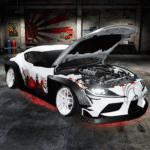
The tuning system covers both performance upgrades and visual customisation. Players spend in-game currency on performance parts including engine, brakes, and tires. Each upgrade improves a specific aspect of the car’s behaviour. Additionally, players can change the car’s colour, body style, and wheel disks to build a fully personalised vehicle.
Performance upgrades and visual changes are separate. A player can build a visually unique car without spending any currency on performance parts. However, performance upgrades directly affect how competitive the car is on difficult levels. Visual customisation has no effect on physics.
Which car parts players can upgrade with in-game currency
Engine upgrades increase top speed and acceleration. Brake upgrades reduce stopping distance, which matters most on technical tracks with late-braking corners. Tire upgrades improve grip, which helps the car hold corners without sliding toward the red boundary. Each upgrade has a measurable effect on the car’s behaviour.
Players can purchase upgrades through the in-game store using currency earned from completing offline levels. The upgrade costs scale with the improvement level. Early upgrades are inexpensive and produce noticeable results. Higher-tier upgrades cost significantly more and provide smaller marginal gains. Therefore, upgrading all three systems to a mid-level before investing heavily in any single system produces the best balance for general play.
How visual customisation and wheel disk selection work
Visual customisation lets players choose the car’s body colour and paint style. The game supports both bright, vivid colour schemes and more subdued, professional styles. Players can create a car that reflects a personal aesthetic without any gameplay consequence.
Wheel disk selection adds another layer of personalisation. The game includes a large variety of disk designs, from classic multi-spoke patterns to more angular modern styles. Disk choice is purely cosmetic. However, players who race online frequently report that personalised vehicles feel more distinct in multiplayer lobbies and make it easier to track your own car during chaotic multi-player starts.
How car type choice affects performance on different track layouts
The game offers sedans, crossovers, and all-terrain vehicles. Each vehicle class has a different handling profile under the physics engine. Sedans are fast on smooth, low-elevation tracks but become unstable on ramps. Crossovers balance speed and stability. All-terrain vehicles handle elevated and irregular surfaces steadily but reach lower top speeds on flat sections.
Matching car type to the track layout is therefore a meaningful tactical decision. For a host racing on their own custom track — especially one featuring ramps or tunnels — choosing a crossover or all-terrain vehicle often beats choosing the fastest sedan. Speed on flat sections matters less than stability through the hazard elements that determine whether a player restarts.
How Progression and In-Game Currency Work
Progression in this simulator advances through level completion. Each level awards in-game currency. The currency accumulates in the player’s account and becomes the resource for all car upgrades. Because offline levels are available without internet access, players can progress and earn currency at any time, without needing an active connection.
The level structure moves from straightforward beginner tracks to increasingly demanding layouts. Early levels teach basic steering and braking. Mid-game levels introduce narrower tracks and elevated sections. Later levels require precise control and an understanding of how the car’s upgraded parts perform under pressure.
How offline level completion earns currency without internet
Every completed offline level pays out a currency reward. The reward scales with the difficulty of the level and the player’s performance within it. Completing a level faster, or with fewer boundary touches, increases the currency earned. Players who replay difficult levels consistently — rather than rushing through easy ones — accumulate currency at a faster rate.
Offline mode also serves as practice for online play. Because the physics engine is identical in both modes, time spent in offline levels builds the same control skills that determine competitive performance in multiplayer. Players who ignore offline mode and jump straight into online races often find themselves outmatched by opponents who have built solid fundamentals through level grinding.
Which upgrades give the most performance improvement early on
Brake upgrades produce the most immediate competitive benefit in early offline levels. Better brakes reduce the risk of boundary-line restarts. Tire upgrades follow closely — improved grip stabilises cornering, which reduces the correction inputs that cause oversteer. Engine upgrades are valuable but provide less benefit until the player can consistently reach top speed without losing control mid-corner.
The recommended early upgrade order is brakes first, tires second, engine third. This order reduces restart frequency, which means more currency earned per session. It also builds good habits around controlled driving, which transfers directly to competitive online performance once the player is ready to move into multiplayer races.
What the level difficulty curve looks like from easiest to hardest
The earliest levels feature wide, flat tracks with gentle curves. These stages introduce the control scheme and physics behaviour without significant risk of boundary contact. Mid-difficulty levels narrow the track, raise the elevation, and add obstacles such as tunnels and ramps. The time limit becomes tighter at this stage, pressuring players to drive faster while maintaining precision.
The hardest levels combine narrow elevated platforms, sharp blind corners, and aggressive time limits simultaneously. At this difficulty range, only players with fully upgraded cars and well-developed control habits complete levels on their first or second attempt. The difficulty curve is steep but consistent — each new element appears first in a manageable context before the game combines elements into multi-hazard stages.
What Are the Camera Modes and How They Change Your Drive
Skill Test Online offers multiple camera modes. Each mode changes the player’s field of view, depth perception, and sense of speed during a race. Camera choice is not cosmetic — it directly affects how well a player can anticipate corners, judge distance to the red boundary, and time braking inputs accurately.
Players access camera mode options from the settings or an in-game toggle. Switching modes during early play sessions helps identify which view suits a player’s reaction style. Some players react faster with a bumper-level view that shows the track surface in detail. Others perform better with a high-angle view that shows more of the upcoming track layout.
Which camera mode works best for competitive racing
The chase camera — positioned slightly behind and above the car — is the most widely used mode for competitive races. It provides a clear view of the car’s position relative to the track edges, which helps players judge boundary proximity without losing forward sight lines. This mode also shows the car’s physical behaviour, including lean and oversteer, giving the player additional feedback about the current grip situation.
First-person or bumper cameras reduce forward visibility but provide a strong sense of track surface detail. These modes work well on familiar tracks where the player already knows corner positions. However, on unfamiliar opponent maps, a chase camera gives more reaction time to unexpected hazards. Consequently, most competitive players use the chase camera for online races and switch to closer views for personal offline practice on tracks they know well.
How to disable the interface for high-quality screenshots
The interface-disable feature removes all HUD elements from the screen — including the speedometer, minimap, and lap timer — leaving only the car and the track visible. Players activate this from the in-game settings. The result is a clean, cinematic view of the race that works well for capturing screenshots of custom maps or particularly dramatic moments on elevated sections.
Disabling the interface during a live race is not advisable because it removes the lap timer and position indicator. However, players who want to capture their best custom tracks for sharing can use this mode in an offline solo run on their own map. The combination of the simulator’s 3D graphics and the clean interface-off view produces high-quality images that accurately show off the detail of a custom-built track.
Why camera angle affects reaction time on tight turns
A camera positioned low and close to the car reduces the visible distance ahead of the vehicle. On straight sections, this is not a problem. However, on tight turns or elevated sections, a low camera cuts off the player’s view of what is immediately around the corner. By the time the turn appears in frame, there is less time to apply the correct steering input.
A higher camera angle increases the visible distance ahead, giving the player a longer window to read the track. This directly translates to earlier and more accurate braking. On the hardest offline levels and on complex online maps, the difference between a high and a low camera angle can mean the difference between completing a corner cleanly and touching the red line. Camera selection is therefore a performance decision, not a preference.
Best Skill Test Online Tips and Tricks for Beginners
The most common mistake new players make is ignoring the track layout before starting a race. This simulator punishes boundary contact immediately. Therefore, any tactic that increases track familiarity before a run in progress is directly competitive. Experienced players approach each new track the same way — read it once at low speed, identify the narrow or elevated sections, then race at full pace on the second run.
Three specific habits separate players who progress quickly from those who restart the same levels repeatedly. Each of the following tips is specific to how this game’s systems work. None of these apply to generic driving games because they rely on mechanics unique to Skill Test Online.
How to read track boundaries before a lap to avoid restarts caused by the red line rule
Before racing at speed on any new track, drive the first lap slowly. Look specifically for sections where the red boundary line appears on both sides simultaneously — these are narrow platforms or bridge segments. Identify where the boundary is closest on each side. Then, on subsequent laps, aim to stay in the centre of the narrowest section with a slight reduction in speed.
This pre-lap reading strategy is especially important on opponent-created maps in online mode, where the track layout is unknown. Rushing through an unseen narrow bridge at full speed results in a boundary contact and restart. Slowing through it on the first pass reveals the safe line, which the player then applies consistently for the rest of the race.
How to prioritize brake and tire upgrades before engine power in early offline levels
Early offline levels reward control over speed. The time limits in beginner and mid-difficulty stages are generous enough that a well-controlled car at moderate speed finishes within the limit comfortably. However, a faster car with poor brakes or low grip restarts frequently, which wastes more time than any speed advantage can recover.
Brake upgrades reduce stopping distance. Tire upgrades hold the car on the intended line through corners. Together, these two upgrades reduce the frequency of boundary contacts and restarts in early levels. Engine upgrades become valuable after brakes and tires reach mid-level, because by that point the player’s control is strong enough to actually use the higher top speed without losing stability.
How to use the map constructor in offline mode to practice specific corner types before going online
Players can build a simple practice track in the map constructor and drive it solo without posting it online. This offline constructor use is underutilised by beginners. Building a short track with only the corner type that causes the most difficulty — for example, a sharp hairpin on an elevated platform — and then repeating it dozens of times in isolation is faster than replaying full levels that include easier sections the player has already mastered.
After identifying a weakness in a specific corner type, build the smallest track possible that isolates that corner. Drive it repeatedly until the correct input becomes automatic. Then return to the full offline levels. Players who use the constructor as a practice tool close skill gaps far faster than players who only replay standard levels in sequence.
Frequently Asked Questions About Skill Test Online
Is Skill Test Online available on Android and iOS?
Yes. Skill Test Online is available on both Android and iOS. Android players download it from the Google Play Store under the developer MISHIKinc. iOS availability means the game reaches players on both major mobile platforms. The current version as of mid-2026 is 1.7.1.3, which brought performance improvements including motion blur and smoother frame rates.
Can you play Skill Test Online without an internet connection?
Yes. Skill Test Online supports offline play through its level mode. Players complete levels, earn in-game currency, and upgrade car parts without any internet connection. However, online multiplayer races and access to custom maps built by other players require an active internet connection to connect to global lobbies.
Does Skill Test Online have car customization options?
Yes. Skill Test Online includes both performance upgrades and visual personalisation. Players upgrade engine, brakes, and tires using in-game currency. Visual options include body colour, paint style, and a wide selection of wheel disk designs. Car personalisation has no effect on physics but allows players to build a unique vehicle identity for online races.
Why Skill Test Online Rewards Players Who Build and Compete
Skill Test Online is best suited to players who want more than a passive racing experience. The map constructor, offline level grind, and global online races form a loop that keeps the game relevant long after the initial levels are complete. Casual players who want quick races on interesting tracks will find enough content in the offline mode alone. Competitive players who enjoy custom track design, car tuning, and real human opponents will find the online mode genuinely deep.
After spending real time with the physics system and the map constructor, the game earns its reputation as one of the more serious Android driving simulators available at no cost. The controls are honest — the car behaves consistently, the physics never cheats, and the red boundary line keeps every race honest. Players who commit to the tuning system and the map-building tools will consistently outperform those who ignore them. Build the tracks. Upgrade the brakes first. Race with discipline.
Images


Download links
ℹ️ Download link not working? Please refresh the page and try again.
Developer's apps

Related apps



What's new
-Added new props to constructor.
New Apps
Most Played Mobile Games


