
Little Nightmares APK (FULL GAME)

Description
A small child awakens in a dark, damp suitcase. The world outside is huge and full of shadows. This is the starting point for one of the most beloved horror adventures of the last decade. Now, that adventure fits neatly into the palm of a player’s hand. Little Nightmares APK has made the jump to mobile devices, bringing its unique brand of terror to a whole new audience. The journey through The Maw, a mysterious and corrupted vessel, is just as gripping on a small screen as it was on a big one.
Experience the Dark Whimsical World of Little Nightmares
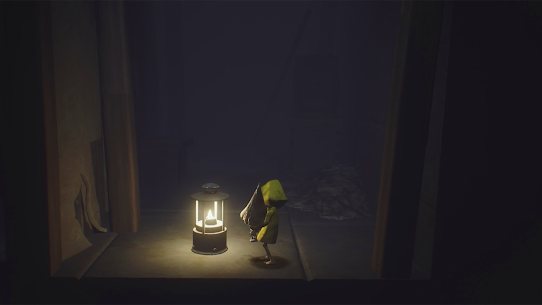
The game presents a world that feels like a dark fairy tale. It is whimsical in its design but deeply unsettling in its atmosphere. Players step into the role of Six, a tiny girl in a yellow raincoat. She must navigate the horrors of The Maw, a floating lair for grotesque creatures. The art style is beautiful and haunting at the same time. It draws players in with its charm, only to terrify them with its monsters.
Confronting Childhood Fears in a Haunting Dollhouse
The Maw itself feels like a giant, twisted dollhouse. Every room is filled with furniture that towers over Six. The environment plays on the primal fears of being small and helpless in a giant’s world. This is not a game about gore or jump scares. It is about the slow, creeping dread of being hunted. The game forces players to confront feelings of vulnerability that most titles ignore. It taps into those childhood nightmares of being lost in a place full of giants.
Helping Six Navigate the Corrupted Inhabitants of The Maw
The creatures that live on The Maw are all corrupted by their own appetites. There are the Janitors, with their long, sensitive arms that can hear the slightest sound. There are the Chefs, who see Six as just another ingredient for their terrible kitchen. Later, players encounter the Guests, bloated and gluttonous beings who feast on anything in sight. Each enemy has its own behavior patterns that players must learn to survive.
Understanding the Eerie Narrative and Artistic Direction
The story is told entirely through visuals and sound. There is no dialogue and no text explaining what is happening. Players must piece together the mystery by observing the world around them. This environmental storytelling makes the experience deeply personal. The artistic direction uses color sparingly. Six’s bright yellow raincoat stands out against the dark, grimy world. This contrast makes her vulnerability even more striking.
Learning to Climb, Crawl, and Hide in 3D Space
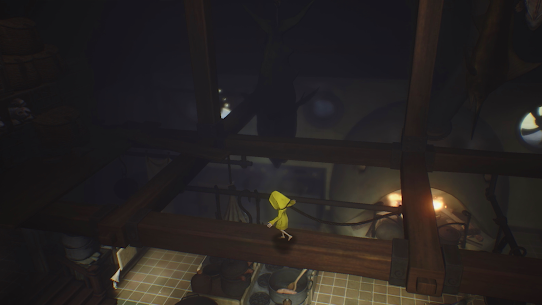
Survival depends on mastering a few simple actions. Six can climb onto furniture to reach high places. She can crawl through small gaps to hide from enemies. She can push and pull objects to create new paths. These mechanics are simple to understand but require precision to execute. The game is played in a 3D space with a fixed camera angle. Players must judge distances carefully to make jumps or avoid being seen.
Using Tiptoe and Sprint Controls to Avoid Detection
Movement speed is a critical tool in the game. There is a tiptoe option for moving silently past enemies. There is also a sprint option for when things go wrong and a chase begins. Knowing when to creep and when to run is the key to survival. Sprinting is fast but makes noise, which can attract attention. The balance between these two speeds creates constant tension in every room where an enemy lurks.
Adapting PC and Console Controls for Mobile Touchscreens
The mobile version offers two different ways to control Six. Some players might prefer a virtual joystick and buttons on the screen. Others can choose an immersive swipe-based system where gestures control all actions. Surprisingly, the swipe controls work very well for precise movements. They keep the screen clear of visual clutter, allowing players to focus on the terrifying world around them. It takes a little practice, but most players adapt quickly.
How to Outrun the Hunger of The Maw’s Denizens
The enemies are not just obstacles; they are characters with their own drives. The Janitor drags a heavy sack behind him as he searches. The Chef wields a massive cleaver with deadly intent. The Guests reach out with greedy hands to grab Six. Running from these creatures is always a heart-pounding experience. The game does not give players any weapons, so the only option is to flee and hide.
Utilizing Environmental Clues to Solve Tricky Puzzles
The puzzles in the game are clever but never impossible. They rely on players noticing details in the environment. A drawer that can be pulled out to use as a step. A chain that can be swung to reach a distant platform. A light that must be avoided to stay hidden. These puzzles often require multiple steps, but they always make sense within the world. The satisfaction comes from figuring out the solution just as danger approaches.
Timing and Precision: Tactics for Perfect Platforming
Some sections require precise jumps and perfect timing. Players might need to swing from a rope and let go at the exact right moment. They might need to run through a door that is closing rapidly. These platforming challenges can be tricky on a touchscreen, but the game’s checkpoints are generous. Dying just means restarting a few seconds before the mistake. This keeps frustration low and encourages players to try again.
Moving From the Prison Depths to the Playground
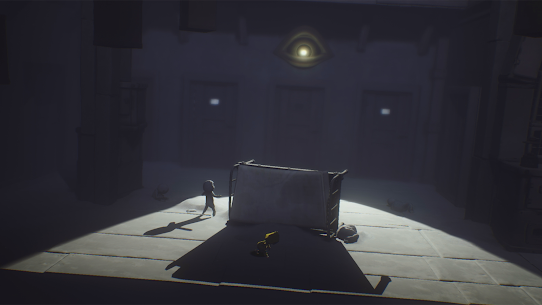
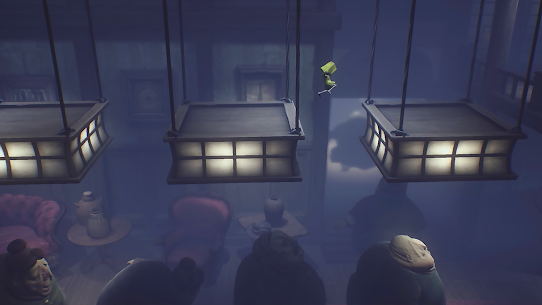
The journey through The Maw takes players through many distinct areas. It begins in the dark, damp Prison where Six first awakens. Later, players crawl through the Lair, home to the long-armed Janitor. The Kitchen follows, a chaotic place of meat hooks and giant cleavers. Finally, the Guest Area shows the grotesque height of The Maw’s corruption. Each area has its own unique look and feel, keeping the experience fresh.
Uncovering Hidden Secrets within the Vessel’s Layers
The Maw is filled with secrets for observant players to find. Hidden throughout the levels are small, friendly creatures called Nomes. Finding and hugging all of them unlocks special achievements. There are also statues hidden in hard-to-reach places that can be smashed. These collectibles encourage players to explore every corner of the world. They add replay value for those who want to see everything the game has to offer.
Finding Escape Routes Through Imagination and Logic
Six is small, but she is also clever. The solutions to problems often require thinking like a child. That shelf is too high, but pulling out a drawer makes a ladder. That door is locked, but the vent nearby offers another way. This design philosophy rewards players who look at the world with curiosity. It makes the player feel smart every time they figure out a new path forward.
How Creepy Sound Design Signals Approaching Danger
The sound design in Little Nightmares is a masterpiece of tension. The heavy footsteps of an approaching enemy can be heard long before they appear. The wet, squelching sounds of the Janitor’s fingers tapping the floor are unmistakable. When danger is near, the music drops out, leaving only silence and the sound of Six’s breathing. These audio cues are essential for survival, teaching players when to hide and when to run.
Appreciating the High-Fidelity Mobile Graphics Port
Bringing this game to mobile required some technical adjustments. The graphics are slightly less detailed than the PC version to ensure smooth performance. Shadows and lighting effects have been optimized for smaller screens. However, the overall look and feel of the game remains intact. The art style translates well to mobile, and the game runs smoothly on most modern devices.
Optimizing Performance for a Seamless Horror Adventure
To get the best experience on mobile, players should prepare their devices. Closing background apps helps the game run more smoothly. Playing in a dark room with headphones creates the best atmosphere. Some users have reported issues with power-saving modes interfering with the game. Turning these features off before launching ensures the game works correctly from the start.
Is the Mobile Version the Same as the PC Experience?
The mobile version contains the complete story found in the original game. All the chapters, all the enemies, and all the puzzles are present. The main differences are in the controls and the visual fidelity. The mobile experience is more intimate, with the action happening right in the player’s hands. It is perfect for playing in short bursts during a commute. For the truly immersive experience, playing on a large screen with headphones is still the best choice.
How Do I Hide Effectively from the Corrupted Inhabitants?
Hiding is the most important skill in the game. When an enemy approaches, players should look for small spaces. Under beds, inside cabinets, and behind large objects are all safe spots. It is important to stay perfectly still and quiet. Moving even a little can give away a position. Players should also watch the enemy’s patrol patterns. Waiting for the right moment to move from one hiding spot to the next is the key to progress.
Face Your Fears and Escape The Maw Today
The world of Little Nightmares is dark, terrifying, and unforgettable. It offers a horror experience that relies on atmosphere rather than violence. The mobile port makes this masterpiece accessible to anyone with a smartphone. The controls are adaptable, the graphics are impressive, and the story is just as powerful. For those who have never played before, now is the perfect time to start. For fans returning for another playthrough, the mobile version offers a new way to experience the terror. Six is waiting. The Maw is hungry. The escape begins now.
Images

Download links
Note: If the link gives an error, refresh the page and press the link again.
- Visit Oyunclubnet and explore the collection.
- Please tap on the APK you want and save it to your phone.
- Open your File Manager and tap the APK file.
- Allow installation from unknown sources in your settings.
- Tap the Install button and wait for it to finish.
Developer's apps



Related apps




What's new
- Fixed bug with NPC navigation
-
Latest Apps
-
 Plants vs Zombies Fusion MOD APK (Unlimited Money)3.4.2 Blue Fly
 -
 CarX Drift Racing 2 MOD APK (Unlimited Money, Gold, Cars Unlock)1.42.0 CarX Technologies
 -
 Ala Mobile GP MOD APK (Unlocked Everything)7.7.7 CVi Games
 -
 Grand War 2 MOD APK (Unlimited Money, Medal)1158.0 Joynow Studio
 -
 Minecraft APK: Beta / Final1.26.10.4 Mojang
-
Trending Apps
-
Minecraft APK: Beta / Final1.26.10.4 Mojang
-
 Manok Na Pula MOD APK (Unlimited Money, Eye, Max Level)8.2 TATAY GAMES
 -
 Off The Road MOD APK (Unlimited Money, VIP, Cars Unlock)1.18.0 DogByte Games
 -
 Car Parking Multiplayer MOD APK (Unlimited Money, Gold, Unlocked All)4.9.4 olzhass
 -
 Offroad Outlaws MOD APK (Free Shopping)7.0.419 Battle Creek Games LLC
-