
Farming Simulator 20 MOD APK (Free Shopping)

Description
Farming Simulator 20 brings John Deere to mobile for the first time ever, giving players access to the world’s largest agriculture machinery brand alongside nine other iconic farming names. This post is written for beginners and returning players who want a clear, practical breakdown of everything the game offers. Here, you will find full coverage of crop types, livestock management, vehicle brands, market strategy, and the best tips for building a successful farm.
What Is Farming Simulator 20 and How Does It Play
Farming Simulator 20 is an open-world farming simulation developed and published by GIANTS Software. Players build a working farm on a North American map by planting crops, raising livestock, and selling produce in a dynamic market. The game rewards planning. Every decision about what to grow, what animal to raise, and which machine to buy affects how fast your farm grows.
The core loop is straightforward but deep. Players prepare fields, plant seeds, wait for crops to mature, then harvest and sell. Income from sales funds new vehicles and land. That cycle repeats at increasing scale as your farm expands. Nothing happens automatically — players control every stage of the process.
How the crop planting and harvesting cycle works
Every crop in the game follows the same basic stages: soil preparation, planting, growing, and harvesting. Players use specific machines for each stage. A cultivator prepares the field. A seeder plants the chosen crop. After growing time passes, a harvester collects the yield. Players then transport the harvest to a sell point.
The game does not rush this cycle. Each stage requires the right equipment. Using the wrong tool wastes time and money. New players often skip soil prep, which reduces yield. Completing every stage correctly produces a full harvest and maximises income.
The North American setting and open-world structure
The North American environment is new to Farming Simulator 20 and visually distinct from previous entries. Wide open plains, large field plots, and clear sightlines make it easier to plan large-scale operations. The 3D graphics engine shows detailed machinery textures and realistic terrain.
Horse riding connects directly to this environment. Players can leave their tractor, mount a horse, and ride freely across the map to scout fields and plan routes. This open-world freedom makes the map feel alive rather than just a flat workspace.
How Farming Simulator 20 compares to similar farming titles
Compared to Stardew Valley, this game focuses entirely on the machinery and agricultural side of farming. There are no social relationships, seasonal festivals, or character storylines. Instead, the experience centres on realistic vehicle operation and market economics. Players who enjoy the mechanical side of farming will find far more depth here.
Compared to Farming Simulator 18, this entry adds John Deere, horse riding, cotton, oats, and the new North American map. The vehicle roster grew significantly. The visual engine also improved. For returning players, those additions alone justify switching versions.
How Farming Simulator 20 Gameplay Controls and Mechanics Function
Controls in Farming Simulator 20 are designed for touchscreen play. Steering, throttle, and tool activation all sit within reach of your thumbs. However, new players often find vehicle management overwhelming at first. The key is learning one machine at a time before scaling up operations.
Each vehicle serves a specific purpose. Tractors pull attachments like seeders and cultivators. Harvesters work independently on fields. Trucks and trailers transport goods to market. Understanding which vehicle does which job eliminates wasted trips and saves fuel costs.
How to drive and operate vehicles on your farm
Vehicles respond to directional input naturally. Steering follows the direction of touch input, and speed builds gradually. Players should reduce speed when turning at field edges to avoid damaging crops or missing rows. Straight-line driving across long field plots produces the cleanest harvest passes.
Attaching tools to tractors requires positioning. The vehicle must align with the attachment before it connects. Once attached, the tool activates through an on-screen button. Players can detach at any time to switch tools mid-task.
How the cockpit view changes the driving experience
The cockpit view places the camera inside the vehicle cabin, showing the steering wheel, dashboard, and front windshield. This view gives a more accurate sense of speed and field alignment than the default third-person camera. Many experienced players prefer it for precise row tracking during planting and harvesting.
Switching between views takes one tap. The cockpit view is especially useful on large fields where row alignment matters most. It also makes the John Deere and other branded vehicles feel more realistic, since interior details match the real machines.
What happens when a crop cycle or task is completed
When a harvest cycle completes, the crop loads into the harvester’s tank. Once the tank fills, players must empty it into a trailer or grain cart before continuing. Forgetting to empty the tank stops the harvest completely. New players often lose time here.
After transporting the harvest to a sell point, the game calculates the sale price based on current market demand. Players receive payment immediately. That money adds directly to their available budget for upgrades and expansion.
What Crops Can You Grow in Farming Simulator 20
Ten crop types are available in Farming Simulator 20. That variety gives players meaningful choices about what to prioritise at different stages of farm development. Each crop requires specific machinery to plant and harvest, so expanding your crop types also means expanding your vehicle fleet.
Not all crops are equally profitable. Some sell at higher base prices. Others are faster to grow. Balancing fast-growing lower-value crops with slower high-value ones creates a more stable income stream than relying on a single crop.
All ten crop types available and their uses
The full crop list includes wheat, barley, oat, canola, sunflowers, soybean, corn, potatoes, sugar beet, and cotton. Wheat and barley are the starting crops for most players. They are fast, familiar, and have steady market demand. Potatoes and sugar beet require specific harvesting equipment but sell for higher prices per unit.
Canola and sunflowers sit in the mid-range for both time and value. Corn is a staple crop with broad utility. Soybean appeals to players looking to diversify without heavy equipment investment. Each crop has a role in a well-rounded farm.
How cotton and oats expand your farming options
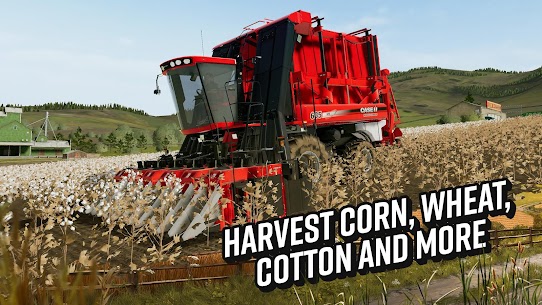
Cotton and oats are new additions to Farming Simulator 20 and were not available in Farming Simulator 18. Cotton requires a cotton harvester to collect and sells well in the dynamic market. Oats are a lighter crop that fits early-game budgets. Adding both gives players more ways to respond to market price fluctuations.
Cotton in particular opens a new category of machinery. Players who invest in cotton farming early can capitalise on demand spikes before other parts of their farm are fully developed. It rewards proactive players who plan ahead.
Which crops to prioritise as a new farmer
New players should start with wheat or barley. Both crops use basic equipment already available at the start. They grow quickly and sell reliably. Once those harvests generate enough income, players can expand to canola or soybean for better margins.
Potatoes and sugar beet should wait until mid-game. They need specialised equipment that costs more than beginners typically have available. Rushing into those crops before building a financial base is one of the most common mistakes new farmers make.
How Livestock and Horses Work in Farming Simulator 20
Livestock adds a second income stream alongside crop farming. Cows, sheep, and pigs each produce sellable goods over time. Managing animals requires feeding them regularly. Neglecting livestock reduces their output and eventually stops production entirely.
Horses work differently from other animals. They do not produce sellable goods. Instead, they function as a transport and exploration tool, allowing players to ride freely across the North American map. This distinction matters for how players budget their animal care time.
How to raise cows and sheep for milk and wool
Cows produce milk when fed correctly. Sheep produce wool. Both products sell at market for consistent income. Players need to purchase feed, store it near the animal pen, and ensure supplies stay topped up. Running out of feed stops production immediately.
The income from cows and sheep is smaller per unit than a full crop harvest. However, it arrives steadily between harvests. That makes livestock a useful income buffer during the long wait between planting and harvesting larger crops like sugar beet or potatoes.
How horse riding changes farm exploration
Riding a horse lets players move freely across the map without using a vehicle. This is particularly useful for scouting undeveloped field plots, checking crop growth at a distance, or simply getting from one side of the farm to another quickly. Horses navigate terrain that tractors cannot easily cross.
Beyond the practical benefit, horse riding adds a different pace to the game. It slows things down deliberately. Players who take time to ride the map often spot opportunities — available land plots, distant sell points — that they would miss while driving from field to field in a harvester.
How to manage your animals without losing income
The most important rule with livestock is never letting feed run out. Players should check feed levels before starting a long crop task. Running a harvest cycle while animals go unfed means losing both time and money.
Keeping a feed surplus in storage prevents gaps in production. Buying more feed than immediately needed costs slightly more upfront. However, it protects against income loss during busy farming periods. Consistent animal care pays off over time.
What Vehicles and Brands Are in Farming Simulator 20
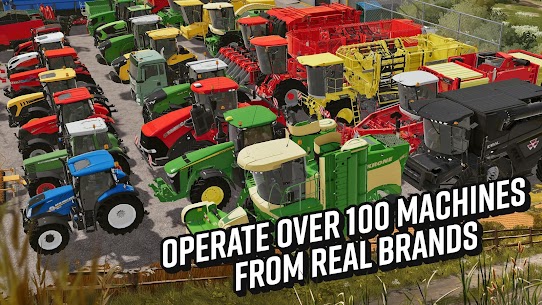
Over 100 vehicles and tools appear in Farming Simulator 20, all faithfully recreated from real-world brands. This is the largest vehicle roster available on mobile for this franchise. Every machine is modelled with brand-accurate design and real nameplate markings.
The brand list includes John Deere, Case IH, New Holland, Challenger, Fendt, Massey Ferguson, Valtra, Krone, Deutz-Fahr, and others. Each brand manufactures different vehicle types, from compact tractors to large-scale combine harvesters. Players are not locked to one brand and can mix equipment freely.
John Deere and top brand vehicles on mobile
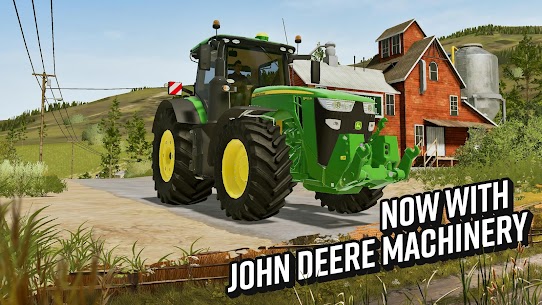
John Deere appears in Farming Simulator 20 on mobile for the first time in the franchise’s history. As the world’s largest agriculture machinery company, its inclusion is significant. Players can operate John Deere tractors, harvesters, and attachments with detailed 3D models that reflect the real machines.
Case IH and New Holland round out the heavy machinery tier. Both brands offer powerful tractors suited to large-scale crop operations. Fendt and Massey Ferguson are strong mid-tier options for players building up their fleets gradually. Krone and Deutz-Fahr fill specialised roles with tools and lighter vehicles.
How the cockpit view works across different machines
Every vehicle supports the cockpit view. The interior detail varies between brands, reflecting each manufacturer’s real dashboard layout. Switching to cockpit view in a John Deere looks different from doing the same in a Fendt. That brand-specific accuracy is one of the standout details in the vehicle system.
The cockpit view also behaves differently across vehicle sizes. Compact tractors have tighter cabin interiors with smaller windshields. Combine harvesters offer elevated cockpit positions with wide panoramic views. Choosing which machine to drive in cockpit view is part of the overall experience.
How to choose the right vehicle for each farming task
Matching vehicle to task reduces wasted time significantly. Seeders and cultivators need tractors with enough horsepower to pull them efficiently. Harvesters work alone on fields but need grain carts nearby for tank emptying. Trailers require trucks or tractors to tow them to sell points.
Players should resist buying vehicles purely for brand preference early in the game. Instead, identify the task gap in your current operation and fill it with the right tool. A second tractor adds more value at the start than a premium harvester you cannot yet keep busy.
How the Market and Farm Progression System Work
The dynamic market in Farming Simulator 20 adjusts crop prices based on supply and demand. Prices change over time. Selling a full harvest when market demand is high produces more income than selling at a low point. Understanding this system is one of the biggest advantages experienced players have over beginners.
The progression system builds directly from market income. Every sale adds to your available budget. That budget funds new vehicles, expanded fields, additional animals, and larger storage. There is no fixed endpoint — the farm grows as long as you invest your earnings wisely.
How the dynamic market determines your crop sell price
Each crop has a base price and a demand modifier. When many players sell the same crop at once, demand falls and prices drop. Waiting for demand to recover before selling can increase your payout significantly. However, holding unsold crops ties up storage capacity.
Players should check market prices before each sell run. The game displays current pricing at each sell point. Comparing prices across multiple locations reveals which sell point offers the best rate at that moment. Rotating between sell points is a reliable way to consistently earn above the base rate.
How to reinvest earnings to expand your farm
Reinvestment decisions determine how fast your farm grows. Early game, prioritise buying the equipment needed to complete full crop cycles without bottlenecks. A second tractor, a grain cart, or a larger trailer removes common early-game slowdowns faster than buying premium branded vehicles.
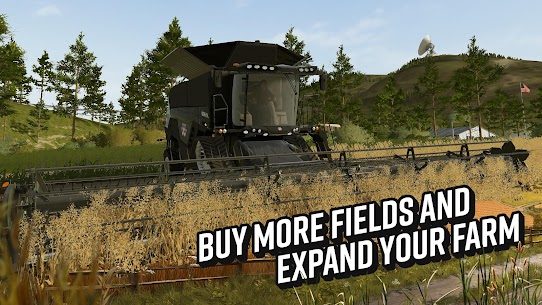
Mid-game reinvestment shifts toward land. Buying additional field plots increases total crop volume per cycle. More volume means more income per harvest. Combining new land with better machinery creates a compounding growth effect that accelerates farm development rapidly.
What the full progression loop looks like from start to finish
The progression loop starts with small fields and basic vehicles. Early harvests generate modest income. That income funds better equipment. Better equipment handles larger fields faster. Larger fields produce bigger harvests. Bigger harvests generate more income. The cycle repeats at an increasing scale.
There is no level cap or final unlock. The progression is entirely player-driven. Some players focus on maximising one crop type. Others diversify across crops and livestock simultaneously. Both approaches work. The market and reinvestment mechanics support multiple viable strategies.
Why Timing and Market Strategy Are Overlooked by Most Players
Market timing is the most underserved topic in Farming Simulator 20 content. Most players sell crops immediately after harvest without checking prices. That habit costs significant income over a full play session. Learning to time sells around market demand is the single highest-impact skill a player can develop.
Horse riding is similarly underused as a strategic tool. Most players ride for novelty, not for farm planning. However, scouting by horse saves time by helping players identify which fields to buy next and which sell routes are shortest from a given field position.
How to read market prices before selling your harvest
Before driving to a sell point, open the market overview and compare prices across all available locations. The difference between sell points can be significant, sometimes 20 to 30 percent above base price at the highest-demand location. That gap compounds across dozens of harvests throughout a play session.
Additionally, tracking which crops are currently in oversupply helps you plan future planting. If wheat prices are low because many fields are producing it, shifting some acreage to canola or cotton positions you to sell into a less crowded market next cycle.
How horse riding supports smarter field planning
Riding across the map on horseback gives a different perspective than driving through fields in a tractor. Players can cross terrain that vehicles cannot easily navigate, reaching elevated viewpoints or distant plot edges. From those positions, it becomes easier to evaluate land size, proximity to sell points, and field shape before buying.
That planning advantage pays off during reinvestment decisions. Buying a field that looks large on the map but sits far from any sell point creates a transport inefficiency that hurts margins. Scouting by horse first prevents those mistakes.
Why the cockpit view improves vehicle efficiency on large plots
On small fields, the standard third-person view is sufficient. However, on large North American plot sizes, row alignment during planting and harvesting becomes much harder to maintain from the outside camera. The cockpit view solves this by giving a direct line-of-sight down each row.
Missed rows during planting mean lost crop yield. Missed passes during harvesting leave crops in the field. Both reduce income per cycle. Switching to cockpit view for large-field work is a simple habit that consistently improves output without any additional cost.
Best Farming Simulator 20 Tips and Tricks for Beginners
Starting well in Farming Simulator 20 comes down to avoiding the mistakes that slow income in the early game. Most of those mistakes involve buying the wrong things too early, skipping essential preparation steps, or ignoring the market entirely. The tips below address all three.
Every experienced player eventually settles into a rhythm of preparing, planting, harvesting, and selling efficiently. Getting into that rhythm quickly is what separates players who stall out at small farm sizes from those who expand steadily.
How to start strong with your first crop cycle
Begin with wheat or barley on the smallest available field. Use the cultivator before planting — skipping this step reduces your yield noticeably. Plant as soon as the field is prepared. While the crop grows, use that time to scout the map on horseback or check market prices for your next sell.
After your first harvest, sell at the highest-priced location. Use those earnings to buy a second small piece of equipment — a grain cart or an additional tractor attachment — before anything else. Removing the first bottleneck in your workflow always produces more value than buying a premium vehicle.
How to balance livestock income with crop harvesting
Livestock income is small but consistent. Crops produce large but irregular payouts. Combining both creates a more stable income flow. However, managing animals takes attention. Feed them before starting a long harvest run so you do not return to empty troughs and lost production.
The sweet spot for most beginners is two to three animals early on — enough to generate supplemental income without requiring constant attention. Scaling animal numbers should happen in step with farm growth, not ahead of it.
What to do when your farm income stalls
Income stalls most often because of one of three problems: selling crops at low market prices, missing rows during harvest and leaving yield in the field, or holding crops in storage too long without selling. Check all three before making any major reinvestment.
If prices are low, wait and sell later. If harvest yield looks low, switch to cockpit view and check your row coverage on the next pass. And if storage is full, prioritise a sell run before the next planting cycle. Fixing the bottleneck beats adding more complexity.
Frequently Asked Questions About Farming Simulator 20
What platforms is Farming Simulator 20 available on?
Farming Simulator 20 is available on iOS, Android, and Nintendo Switch. The mobile versions support touchscreen controls designed for smartphone and tablet play. The Nintendo Switch version uses the console’s controller input. The game is developed and published by GIANTS Software across all three platforms.
How long does it take to build a full farm in Farming Simulator 20?
Building a well-equipped farm with multiple fields, a full vehicle fleet, and active livestock typically takes 10 to 20 hours of play depending on how aggressively players reinvest earnings. Casual players managing one or two fields can enjoy the core loop within the first two hours. The game scales to however much time players want to invest.
Does Farming Simulator 20 have multiple endings or replayability?
Farming Simulator 20 has no endings. The game is an open-ended simulation with no final objective. Replayability comes from setting personal goals — maximising crop income, collecting all vehicle brands, or building the largest possible animal herd. Players who enjoy long-term progression games will find the loop consistently rewarding across many sessions.
Why Farming Simulator 20 Is Worth Your Time as a Mobile Farm Sim
Farming Simulator 20 delivers a genuine farming simulation that most mobile games in the genre do not attempt. The combination of 100-plus licensed vehicles, ten crop types, horse riding, cockpit view, and a dynamic market creates a system with real strategic depth. Beginners will find the early loop accessible. Experienced players will find enough complexity to stay engaged long-term.
The John Deere inclusion alone sets this entry apart from Farming Simulator 18 on mobile. Combined with cotton, oats, and the new North American environment, the game represents a meaningful step forward for the franchise on handheld platforms. If you enjoy watching systems work together — planting, harvesting, selling, reinvesting — this title rewards that kind of patient, strategic thinking. After spending hours optimising crop rotations and timing market sells, this is one of the most satisfying mobile farm sims available right now.
Images

Download links
ℹ️ Download link not working? Please refresh the page and try again.
Developer's apps

Related apps





What's new
Various bug fixes and improvements
New Apps
Most Played Mobile Games


