
Farming Simulator 20 MOD APK (Free Shopping)

Description
Farming Simulator 20 MOD APK arrives on mobile with a scale that catches many players off guard. Over one hundred licensed vehicles, ten distinct crop types, a full livestock management system, and a brand-new North American map all fit into a game designed to run on a smartphone. That combination places FS20 in a category of its own among mobile farming games.
I will covers everything a new player needs to get started confidently. It also addresses the key changes that returning players upgrading from Farming Simulator 18 will want to understand before jumping in. From the dynamic market system to cotton harvesting to horse riding, this walkthrough covers the full scope of what FS20 offers.
What Is Farming Simulator 20? Overview and Core Appeal
Farming Simulator 20 is a mobile farming simulation game developed by GIANTS Software. It puts players in control of a working farm where they plant and harvest crops, raise livestock, and manage the financial side of running an agricultural operation. The game aims for authenticity over arcade simplicity, and that commitment to realism is its defining quality.
The appeal of Farming Simulator 20 lies in its depth. Most mobile games in this genre simplify farm management down to a few taps. FS20 models the entire farming cycle with genuine complexity. Players deal with soil preparation, crop growth stages, market price fluctuations, and equipment maintenance as interconnected systems rather than separate mini-games.
The licensed machinery is another major draw. John Deere, Case IH, New Holland, and Fendt all appear in the game with authentic visual detail and functional differences. For players who follow real-world agriculture, the presence of these brands adds a layer of authenticity that generic farming games cannot match.
What’s New in Farming Simulator 20 Compared to Previous Versions
The leap from Farming Simulator 18 to FS20 is substantial across several areas. The most visible change is the new 3D graphics engine, which delivers a level of machinery and environmental detail that was not possible in the previous mobile release. Vehicles now cast shadows, reflect light realistically, and show surface detail that makes them feel like objects inhabiting a real world rather than flat assets on a screen.
The crop roster expands significantly in FS20. Cotton and oats are both new additions to the series on mobile, bringing the total to ten harvestable crops. These new crops require different equipment and introduce new market dynamics that change how players plan their seasonal strategies.
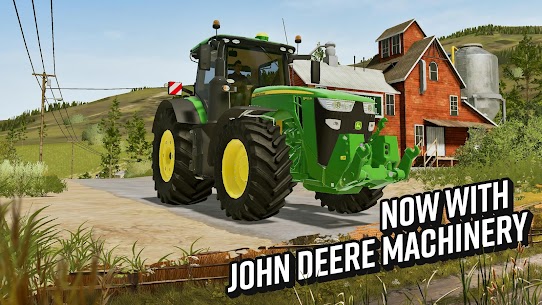
John Deere’s inclusion in FS20 marks the first time the brand has appeared in the mobile version of the Farming Simulator series. This is a notable licensing milestone and gives players access to some of the most recognizable machinery in global agriculture. The John Deere lineup spans tractors, harvesters, and support equipment, covering multiple stages of the farming workflow.
North American Map — What Makes the New Environment Different
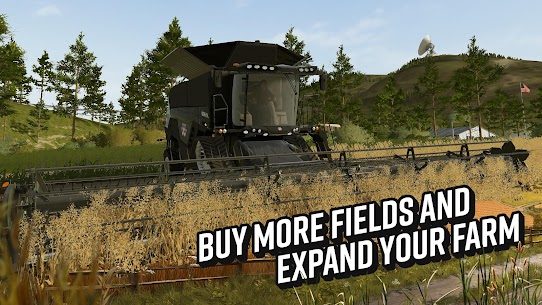
The North American map is the geographic centerpiece of FS20 and it looks nothing like the European settings that dominated previous mobile entries. The landscape is wider, flatter, and more open. Fields stretch to the horizon in ways that reflect the scale of actual North American agricultural land. This visual difference has a direct impact on how players approach farm planning and vehicle routing.
The terrain layout encourages larger-scale operations. Fields are generally bigger than those found on European maps, which makes high-capacity equipment more valuable from the start. Players who invest in wider harvesters and faster tractors see the return on that investment more clearly here than they would on a more compact map.
The road network and town layout also differ. The North American map places farmsteads in positions that reflect how working farms relate to nearby towns and sales points in that part of the world. Players who pay attention to this geography can optimize their transport routes and reduce the time spent moving harvested crops to selling locations.
Is Farming Simulator 20 Worth Playing on Mobile?
Farming Simulator 20 is one of the most feature-complete farming games available on mobile. The question of worth depends largely on what a player expects from the platform. Players looking for a casual experience with light commitment will find FS20 demanding. Players who want genuine agricultural simulation depth on a device they carry everywhere will find it delivers exactly that.
The control scheme adapts the game’s complexity to touch input without dumbing it down significantly. Vehicle operation, field management, and livestock care all translate to mobile inputs in ways that feel considered rather than compromised. The option to use tilt controls for steering adds a layer of physical engagement that some players prefer over pure touch.
The game carries a price tag, which positions it above the free-to-play competition in the mobile farming category. That cost reflects the licensed content, the simulation depth, and the absence of aggressive monetization loops that define many free alternatives. For players willing to pay upfront, the value proposition holds up well over extended play sessions.
Understanding the HUD, Camera Modes and Cockpit View
The heads-up display in Farming Simulator 20 communicates a significant amount of information at once. Players can read vehicle speed, fuel levels, field work progress, financial status, and active task prompts all from the main screen. Learning to scan this information efficiently is the first real skill the game asks players to develop.
Camera modes give players different perspectives on their operation. The default third-person view works well for general navigation and field management. The cockpit view places the camera inside the vehicle cab and provides an immersive perspective that more experienced players often prefer for precision work like seeding and plowing. Switching between modes depending on the task builds a useful habit early.
The cockpit view in particular rewards players who use it regularly. It gives a more accurate sense of the vehicle’s position relative to field boundaries. This matters when trying to avoid overlapping passes during seeding or when pulling equipment close to obstacles. Players who stay in third-person view exclusively tend to develop less precise fieldwork habits over time.
How Vehicle Controls Work on Mobile (Touch and Tilt Options)
Vehicle control in FS20 uses a virtual joystick layout by default. The left side of the screen handles steering and the right side manages throttle and braking. This layout feels natural to players already familiar with mobile driving games and requires minimal adjustment time.
The tilt control option replaces the steering input with the device’s gyroscope. Tilting the phone left or right steers the active vehicle in the corresponding direction. Some players find this more intuitive for open-field driving, while others prefer the precision of touch input for tight maneuvering around equipment and buildings.
Equipment attachment and detachment use a context-sensitive button system. When a vehicle is positioned near compatible equipment, the interface presents an attach prompt automatically. This reduces the friction of coupling tractors to implements and keeps the management flow moving without requiring players to navigate deep into menus.
How the Dynamic Market System Works and Why It Matters
The market system in Farming Simulator 20 assigns prices to each crop that fluctuate based on supply and demand within the game’s economic simulation. Selling large quantities of a single crop drives that crop’s price down over time. Diversifying sales across different selling points and different crops keeps income levels more stable across seasons.
This system matters because it punishes single-crop farming at scale. Players who plant only wheat across every field and sell everything at once will consistently earn less per unit than players who spread production across multiple crop types and manage their selling schedule more carefully. The market rewards strategic thinking rather than simple repetition.
Watching market prices before selling is one of the most impactful habits a player can develop. Holding a harvest for a few in-game days and selling when prices spike upward can significantly increase revenue from the same amount of work. The difference between selling at a low point and selling at a high point on the same crop can represent a meaningful percentage of seasonal income.
All 10 Crops Ranked by Profitability (Wheat to Cotton)
Crop profitability in FS20 depends on a combination of base selling price, equipment requirements, and the time investment needed to bring a harvest to market. Understanding these variables helps players allocate their fields more effectively across seasons.
Cotton sits near the top of the profitability ranking. It commands strong market prices and benefits from the new equipment introduced specifically for cotton cultivation in FS20. The upfront equipment cost is higher than for grain crops, but the return per hectare justifies that investment once players have a stable financial foundation.
Wheat and canola are the most beginner-friendly crops in terms of profitability versus simplicity. Both have reliable market demand, work with standard harvesting equipment, and grow predictably across seasons. Players in their first few seasons do well to anchor their crop mix around wheat or canola before expanding into more demanding crops.
Oats, the other new addition in FS20, sits in the mid-range of profitability. Its value lies more in its role in crop rotation strategies than in raw earnings potential. Planting oats in a field that previously held a more demanding crop like sunflowers restores soil productivity, which benefits the yield of whatever follows in that field.
How to Plant, Harvest and Sell Cotton and Oats (New Crops)
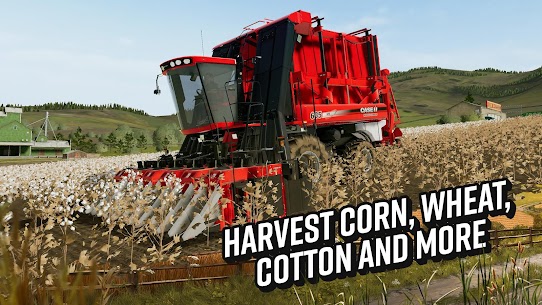
Cotton requires a cotton picker for harvesting, which is a specialized machine distinct from the standard grain combine harvester. Players need to budget for this equipment before they can effectively farm cotton at scale. The John Deere lineup in FS20 includes cotton-specific machinery that handles this crop efficiently.
The planting process for cotton follows the same sequence as other crops: plow the field, apply fertilizer, seed with a compatible seeder, and wait for the growth cycle to complete. The key difference arrives at the harvesting stage. The cotton picker strips the bolls from the plants and collects the raw cotton, which then travels to the cotton gin selling point rather than standard grain storage.
Oats planting uses the same seeders as wheat and barley, which makes it an easy addition to a farm already running grain equipment. The harvesting process is also standard, using the same combine harvester configuration as other small grains. The primary consideration with oats is timing the sale to catch favorable market windows, as its price volatility runs higher than wheat.
Best Crop Rotation Strategy for Steady Income
Crop rotation is the practice of alternating which crops grow in a given field across successive seasons. In Farming Simulator 20, rotation has a direct impact on yield. Fields that grow the same crop repeatedly suffer productivity losses that reduce harvest totals without any corresponding reduction in input costs.
A practical three-season rotation that works well in FS20 moves a field through wheat, then canola, then either oats or sunflowers before returning to wheat. This sequence balances soil demands effectively. Canola and sunflowers are both nutrient-intensive crops, but their demands differ from wheat in ways that allow the soil to recover appropriately between cycles.
Players managing multiple fields simultaneously should stagger their rotation schedules so that not all fields reach the harvest stage at the same time. Spreading harvest windows across the calendar prevents equipment bottlenecks and reduces the market price depression that comes from selling large volumes of the same crop simultaneously. Staggered rotation also keeps cash flow moving throughout the year rather than concentrating income in a single seasonal burst.
How to Care for Cows and Maximize Milk Production
The cattle system in Farming Simulator 20 rewards consistent care with steady passive income. Cows produce milk daily as long as they receive adequate food and water. Neglecting either input drops production rates quickly. Maintaining a reliable feeding and watering schedule is the foundation of a profitable dairy operation.
Cows consume a total mixed ration that combines hay, silage, and straw. Each component contributes to a productivity score that directly affects daily milk output. Players who supply only one or two components see reduced production compared to those who provide the full mixture. Investing in the equipment needed to produce silage in-house rather than purchasing it reduces long-term feed costs significantly.
Milk sells at consistent prices and provides income independent of crop market fluctuations. This makes cattle a valuable financial stabilizer for players who want a revenue stream that does not depend on harvest timing or market conditions. Building a cattle herd early in the game and scaling it gradually is one of the most reliable long-term strategies in FS20.
Managing Sheep for Wool — Feeding Cycles Explained
Sheep are the lowest-maintenance livestock option in Farming Simulator 20. They require grass or hay as their primary food source and produce wool on a regular cycle. The simplicity of their upkeep makes them an attractive entry point for players expanding into livestock for the first time.
Wool production follows a straightforward cycle. Sheep consume their feed supply and produce wool at a rate tied to their health and satiation level. Players need to maintain the feed trough at a sufficient level to keep wool production running at full capacity. Letting the feed run out pauses production and requires time to recover after resupply.
The wool selling process involves transporting the accumulated product to the appropriate selling point in town. Players who collect and sell regularly earn more than those who let wool accumulate. Frequent selling also keeps the market supply from depressing prices over time. Sheep fit naturally into a diversified farm that already runs crop and dairy operations.
How to Unlock and Ride Horses to Explore the Map
Horses in Farming Simulator 20 serve a dual purpose. They generate income through riding training sessions, and they give players a way to explore the map without burning vehicle fuel. Both functions make horses worth acquiring once a farm reaches financial stability.
Purchasing horses requires access to the horse paddock facility, which players build or acquire through the farm development process. Once stabled, horses need regular feeding and grooming to maintain their health and value. A well-cared-for horse increases in value over time, which means the animal itself becomes a financial asset alongside its income-generating potential.
Riding a horse across the North American map provides a perspective on the farm’s geography that vehicle travel does not replicate. The slower pace and ground-level view give players a clearer sense of terrain contours and field boundaries. Players who explore the map on horseback often discover selling locations, shortcuts, and field configurations they missed during standard vehicle-based gameplay.
Best Starting Equipment for New Players on a Tight Budget
New players in Farming Simulator 20 face the challenge of building a productive farm from a limited starting budget. Equipment choices in the first season determine whether the financial foundation strengthens quickly or stalls under maintenance and fuel costs. The right early purchases compress the learning curve and accelerate income growth.
A mid-range tractor with broad compatibility across implements is the most versatile starting investment. Players should resist the temptation to buy the largest, most powerful tractor available. A smaller tractor with lower running costs and adequate horsepower for early-game field sizes delivers better financial efficiency until income grows enough to support larger machinery.
A basic plow, a compatible seeder, and a small harvester complete the essential starting toolkit for a grain-focused operation. Players who begin with this configuration and work a manageable number of fields can turn a profit in the first season without overextending their budget. Adding equipment gradually as income increases is consistently more effective than purchasing a full fleet upfront and struggling with debt and running costs.
How to Use John Deere and Other Brand Machinery Efficiently
Licensed brand machinery in Farming Simulator 20 is not purely cosmetic. Different manufacturers and models carry different specifications for horsepower, fuel consumption, working width, and implement compatibility. Using the right machine for each task reduces fuel costs, speeds up field operations, and prevents the equipment strain that comes from underpowering heavy implements.
John Deere equipment covers multiple farm task categories in FS20. The brand’s tractors span a range of power levels suited to different field sizes and implement demands. Players who match their tractor’s horsepower rating to the actual power requirements of their implements avoid the fuel waste that comes from running oversized equipment on light tasks.
Case IH and New Holland machinery tends to shine in harvesting applications. Players who pay attention to the working width specifications of their chosen harvester can significantly reduce the number of passes needed to clear a field. Fewer passes mean less fuel consumed and more time available for other farm tasks during a tight harvest window.
Common Mistakes Beginners Make in Their First Season
The most common first-season mistake is buying too much equipment before understanding the farm’s actual needs. New players often purchase specialized machinery for crops they have not yet planted, leaving capital tied up in idle equipment that generates ongoing maintenance costs. Buying equipment as crop expansion requires it rather than in anticipation of it keeps finances healthier in the early game.
Another frequent mistake is ignoring fertilization. Players who plant and harvest without applying fertilizer or lime see consistently lower yields than the field’s potential. The yield gap between fertilized and unfertilized fields is significant enough to affect the farm’s financial trajectory over multiple seasons. Building fertilization into the standard field workflow from the start pays dividends immediately.
Selling everything immediately after harvest is a third mistake that first-season players make regularly. Flooding the market with a full crop immediately after harvest consistently drives prices down and reduces per-unit earnings. Selling in batches over several in-game days, or holding stock until the market price rises, extracts more value from the same harvest without any additional farming work.
John Deere on Mobile — Why It’s a First for the Series
John Deere’s appearance in Farming Simulator 20 represents a licensing milestone for the mobile branch of the series. Previous mobile entries from GIANTS Software did not include the brand that many players consider the defining image of modern North American agriculture. The addition changes the character of the game significantly for players who follow real-world farming.
The visual detail on the John Deere fleet reflects the higher graphical capability of FS20’s new 3D engine. The distinctive green and yellow color scheme, the cab interior design, and the proportions of the machines all align closely with their real-world counterparts. Players who operate John Deere equipment in real life have noted the authenticity of the in-game representations.
Beyond aesthetics, John Deere’s inclusion brought a suite of machinery that fills gaps in the equipment roster from previous mobile versions. The cotton-specific machinery in particular benefits from the John Deere license, giving players access to authentic large-scale cotton harvesting equipment that matches the agricultural realities of the North American setting.
Best Tractors for Each Farm Task (Plowing, Seeding, Harvesting)
Selecting the right tractor for each task in FS20 comes down to matching horsepower to implement demand and field size. Plowing is the most power-intensive field operation. It requires a tractor with sufficient pulling strength to maintain working speed through dense or compacted soil without bogging down. Under-powered plowing slows the operation and increases fuel consumption per hectare.
Seeding requires less raw power than plowing but benefits significantly from higher precision. A tractor with good low-speed stability and responsive steering gives more accurate seed row placement, which translates to better crop establishment and more uniform growth. Mid-range tractors with good hydraulic response are generally the best choice for seeding operations.
Harvesting uses a combine harvester rather than a tractor, but the support tractors that transport grain from the field to storage play an important role in overall efficiency. A fast, high-capacity transport tractor reduces the waiting time at the combine and keeps the harvesting operation moving without interruption. Players who optimize their transport chain alongside their harvesting equipment see a meaningful reduction in total harvest time per field.
How to Unlock and Purchase New Machinery Without Going Broke
The equipment shop in Farming Simulator 20 presents a wide catalog of vehicles and implements at prices that can quickly exhaust a new farm’s capital if players do not plan purchases carefully. The key to expanding the machinery fleet without financial strain is timing each purchase to a confirmed need rather than a hypothetical future use.
Leasing machinery before purchasing outright is a viable strategy for equipment that players want to test before committing. The lease cost is a fraction of the purchase price and covers a defined operating period. Players who use the lease period to evaluate whether a machine fits their workflow avoid expensive purchasing mistakes.
Loan financing is available for larger purchases that exceed current cash reserves. Interest rates on loans affect profitability over the repayment period, so players should compare the income potential of a financed machine against its total cost including interest before committing. A harvester that pays for itself within a single season is a sound investment. Equipment with a multi-season payback period carries more financial risk, particularly for players still building their farm’s revenue base.
How the New 3D Graphics Engine Improves Machinery Detail
The 3D graphics engine in Farming Simulator 20 represents a significant step forward from the visual standard of previous mobile entries in the series. Vehicle models carry substantially more geometric detail than their FS18 counterparts. Cab interiors include instrument panels, seat structures, and window frames that give the cockpit view genuine depth and authenticity.
Environmental rendering also benefits from the new engine. Fields show visual changes as crops move through growth stages. Soil texture changes after plowing. Harvested stubble remains visible in the field until the next cultivation pass. These visual cues are not cosmetic details. They function as readable feedback for players monitoring their field status at a glance.
Lighting improvements make the time-of-day system more visually meaningful. Golden hour light in the late afternoon creates long equipment shadows that give the farm landscape a cinematic quality. Night operations become genuinely atmospheric rather than simply dark. These environmental details elevate the moment-to-moment experience of moving across the map and reinforce the sense of working in a real agricultural space.
Performance Tips — Running FS20 Smoothly on Older Devices
Farming Simulator 20 runs on a wide range of Android and iOS hardware, but players on older devices may experience frame rate drops during busy farming sequences. Several settings adjustments can restore smooth performance without significantly compromising the visual experience.
Reducing the rendering distance in the graphics settings is the most impactful single change on lower-powered hardware. Shorter draw distances reduce the processing load dramatically, particularly on the large open fields of the North American map. The trade-off in visual quality is minimal during fieldwork, where the immediate surroundings matter more than distant landscape detail.
Closing background applications before launching FS20 frees up RAM that the game can use for physics calculations and asset streaming. On devices with limited memory, background apps can cause hitching and stuttering that disrupts the fieldwork rhythm. Players who clear background processes before play sessions will notice a consistent improvement in frame rate stability across extended play periods.
Can You Play Farming Simulator 20 Offline?
Yes. Farming Simulator 20 supports full offline play on both Android and iOS. The entire single-player farming experience, including all crops, livestock, vehicles, and the North American map, is accessible without an internet connection. Players can manage their farm, run operations, and progress through seasonal cycles entirely offline.
The offline capability makes FS20 well-suited for travel, commutes, or any situation where a reliable internet connection is unavailable. The game saves progress locally, and that progress syncs when a connection is restored if the player uses cloud save functionality. Local saves remain intact regardless of connectivity status.
The only feature that requires connectivity is any multiplayer functionality. The core single-player simulation, which represents the vast majority of the game’s content, operates completely independently of internet access.
How Many Vehicles Are in Farming Simulator 20?
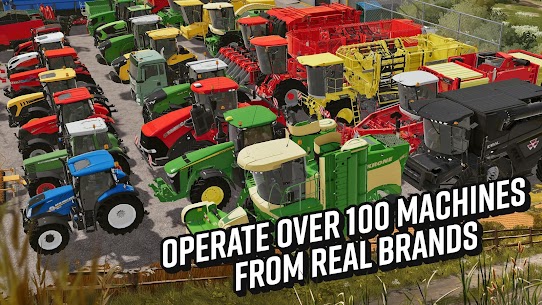
Farming Simulator 20 includes over one hundred licensed vehicles and pieces of equipment across its full roster. This count covers tractors, combine harvesters, transport vehicles, specialized equipment for cotton and other crops, and support machinery used across the farming workflow. The total represented the largest vehicle lineup the mobile Farming Simulator series had offered at the time of the game’s release.
The roster draws from major agricultural manufacturers including John Deere, Case IH, New Holland, Fendt, Challenger, and Massey Ferguson among others. Each manufacturer contributes multiple models spanning different power levels and task specializations. Players have enough variety to build equipment fleets that reflect genuine brand preferences or optimize purely for task efficiency.
Not every vehicle in the roster becomes useful in every farming operation. The breadth of the catalog means players can specialize their fleet around their preferred farming style without running out of appropriate machinery options.
What Crops Are New in Farming Simulator 20?
Farming Simulator 20 introduces cotton and oats as new crops to the mobile version of the series. Both were absent from Farming Simulator 18 and represent meaningful expansions to the game’s agricultural scope. Their inclusion brings the total harvestable crop count to ten distinct varieties.
Cotton is the higher-profile addition of the two. It requires dedicated harvesting equipment and connects to the North American map’s identity as a landscape where cotton farming has genuine cultural and economic significance. The cotton gin selling point is a new facility type introduced specifically for this crop.
Oats is the more quietly useful addition. It integrates into standard grain farming workflows with minimal equipment changes and plays a meaningful role in crop rotation strategies for players managing multiple fields across long play sessions.
How Do You Make Money Fast in Farming Simulator 20?
The fastest legitimate path to early income in Farming Simulator 20 combines quick-harvest grain crops with strategic market timing. Wheat and barley can be planted, grown, and sold within a short seasonal window. Players who commit their available fields to these crops in the opening season and sell at market price peaks can generate the capital needed for their first meaningful equipment upgrade.
Selling at multiple selling points rather than always using the nearest option is another fast income technique. Different selling locations pay different prices for the same crop at any given time. Checking two or three available buyers before committing a delivery consistently yields higher returns per load than defaulting to the closest option.
Livestock provides parallel income that runs independently of the crop cycle. Setting up a small sheep flock early in the game generates wool income that accumulates even during periods when fieldwork dominates the player’s time. This passive revenue stream reduces the financial pressure of waiting for crop harvests and gives players more flexibility in their seasonal planning.
Is Farming Simulator 20 Free or Paid?
Farming Simulator 20 is a paid game on both Android and iOS. It does not use a free-to-play model and does not include in-app purchases or subscription requirements beyond the initial purchase. Players who buy the game once receive the full content package without any additional monetization barriers.
The price reflects the licensed content, simulation depth, and absence of the advertising and energy mechanics that characterize most free mobile farming games. For players who have previously spent money on free-to-play farming games through in-app purchases, the one-time cost of FS20 often compares favorably to the cumulative spending those games encourage.
Periodic sales on both the App Store and Google Play bring the price down for players who want to minimize the upfront cost. Watching for these sale windows is a practical approach for budget-conscious players who are interested in the game but not yet ready to pay full price.
Images

Download links
Note: If the link gives an error, refresh the page and press the link again.
- Visit Oyunclubnet and explore the collection.
- Please tap on the APK you want and save it to your phone.
- Open your File Manager and tap the APK file.
- Allow installation from unknown sources in your settings.
- Tap the Install button and wait for it to finish.
Developer's apps

Related apps





What's new
Various bug fixes and improvements
-
Latest Apps
-
 Auto Parts Store Simulator MOD APK (Unlimited Money)1.11 Birdy Dog Studio
 -
 Kingdom Two Crowns APK (DLC Unlocked)2.4.0 Raw Fury
 -
 Terraria MOD APK (Unlimited Everything)1.4.5.6.4 505 Games Srl
 -
 Thronefall MOD APK (Unlimited Money, Gold)2.12.21 Doghowl Games Ltd
 -
 Minecraft APK: Beta / Final1.26.13.1 Mojang
-
Trending Apps
-
Minecraft APK: Beta / Final1.26.13.1 Mojang
-
 Manok Na Pula MOD APK (Unlimited Money, Eye, Max Level)8.2 TATAY GAMES
 -
 Off The Road MOD APK (Unlimited Money, VIP, Cars Unlock)1.18.0 DogByte Games
 -
 Car Parking Multiplayer MOD APK (Unlimited Money, Gold, Unlocked All)4.9.4 olzhass
 -
 Offroad Outlaws MOD APK (Free Shopping)7.2.86 Battle Creek Games LLC
-